Best Clipboard History and Screenshot Manager Apps for Mac
Macapp Supply · August 17, 2026
Explore top Mac apps for clipboard history and screenshot management to enhance your productivity and streamline tasks.

Managing clipboard history and screenshots efficiently can significantly enhance productivity for Mac users. Whether you're a developer, designer, or just someone who juggles multiple tasks, having the right tools to manage your clipboard and screenshots can save you time and effort. Here, we explore some of the best apps available for Mac that cater to these needs.
1. Supaste — Visual Clipboard and Screenshot History
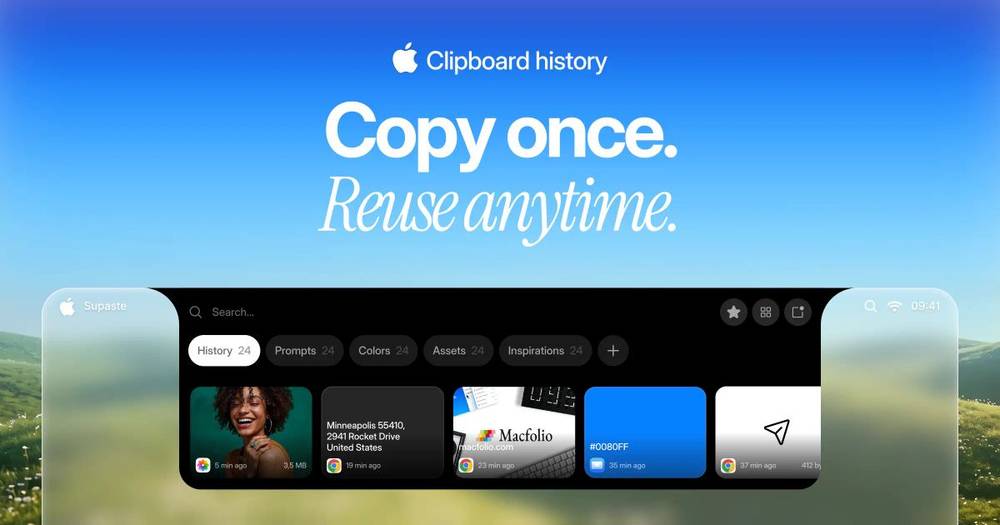

Supaste is a comprehensive app for managing clipboard history and screenshots on your Mac. It automatically saves everything you copy, including text, links, images, and code, allowing you to search, organize, and paste them whenever needed. With a visual timeline of copied items and the ability to recognize text inside screenshots, Supaste is ideal for anyone who needs to keep track of their digital snippets. This app is available as a paid option, offering robust features for serious users.
Choosing the right clipboard history and screenshot manager app depends on your specific needs. Consider whether you need advanced search capabilities, support for multiple file types, or integration with other productivity tools. It's also worth considering how often you take screenshots or copy content, as this will influence the features you prioritize.
Final thoughts
Efficiently managing clipboard history and screenshots can transform your workflow on a Mac. With tools like Supaste, you can keep your digital workspace organized and easily accessible, enhancing overall productivity. Evaluate your needs and choose an app that fits seamlessly into your daily routine.