Best Notes Apps for Mac Users
Macapp Supply · August 17, 2026
Discover the top notes apps for Mac that help you transform thoughts into organized plans and ideas.
For Mac users, finding the right notes app can significantly enhance productivity and organization. Whether you're jotting down quick ideas or managing comprehensive projects, the right tool can make all the difference. In this article, we explore some of the best notes apps available for Mac, each with unique features to cater to different needs.
1. Recto Notes — Turn Notes into Plans

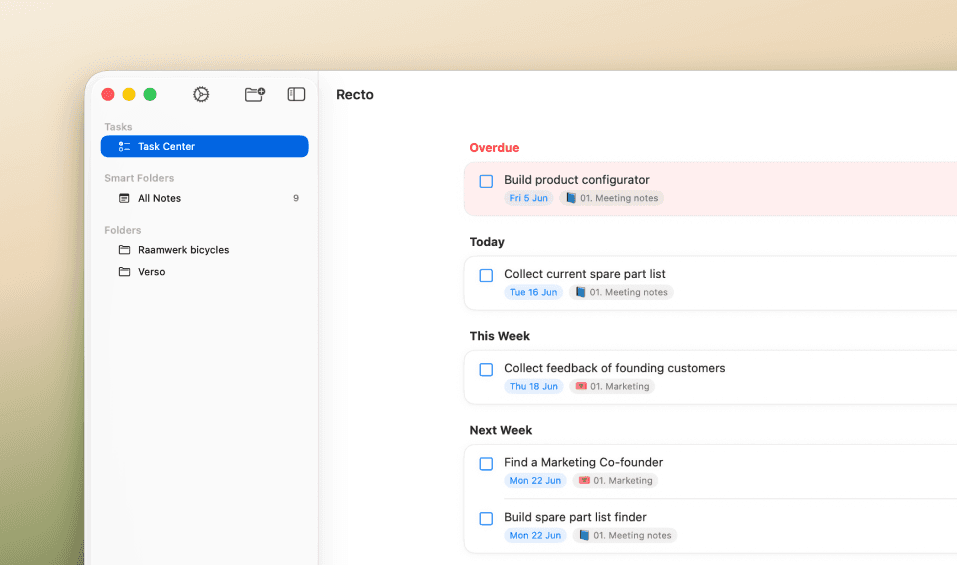
A notes app for Mac and iPhone that turns your notes into plans. Write naturally, and Recto keeps track of what
Recto Notes offers a unique approach to note-taking by transforming your notes into actionable plans. It organizes tasks in a Task Center, providing a clear overview of what needs to be done next. This app is perfect for users who need to manage tasks efficiently and enjoy a structured approach to note-taking. Recto Notes operates on a freemium model, allowing you to explore its basic features for free before committing to a paid plan.
2. Type — Capture Thoughts Instantly
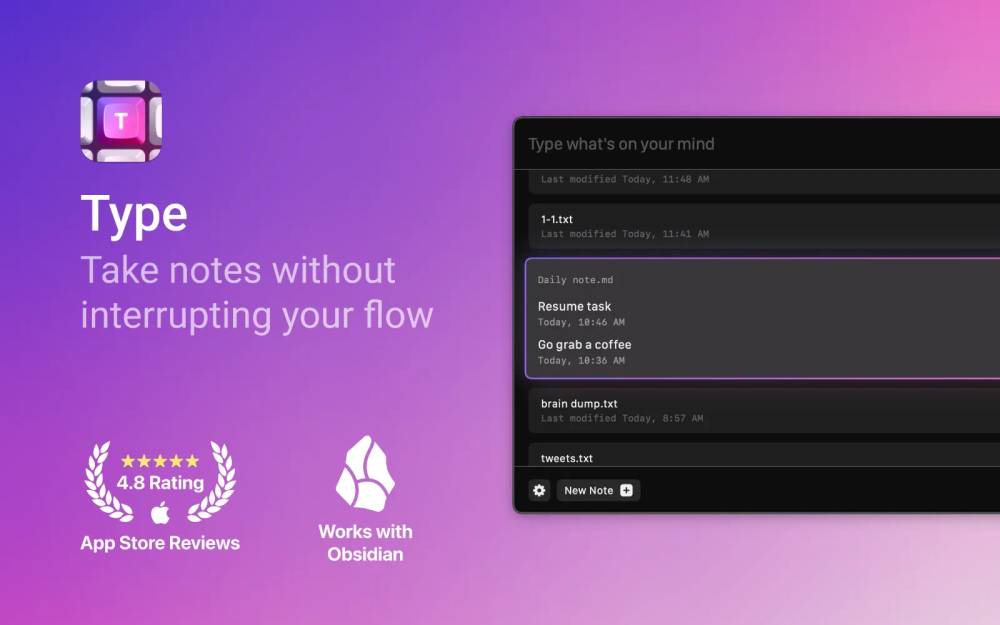

Type is ideal for users who need to capture notes quickly without losing focus on their current tasks. With a simple hotkey command, you can jot down notes from anywhere on your Mac. Each note is automatically timestamped and saved in plain text or Markdown format, ensuring your thoughts are easily accessible and organized. Type is a paid app, offering a streamlined experience for serious note-takers.
3. SeqLog — Markdown Outliner for Mac


SeqLog is a native macOS outliner that keeps your notes in plain Markdown files. This ensures that your notes remain accessible and free from proprietary lock-ins. It's designed for users who prefer a straightforward approach to note organization and appreciate the simplicity of Markdown formatting. SeqLog is available for free, making it an excellent choice for budget-conscious users.
4. SideNotes — Quick Notes from Screen Edge
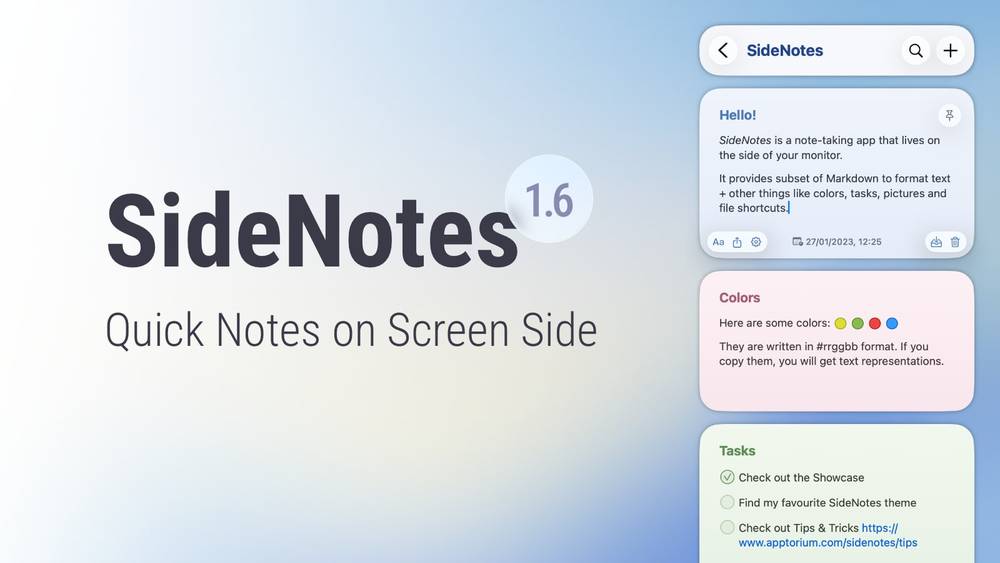

SideNotes is perfect for those who need to capture notes swiftly without disrupting their workflow. It slides in from the screen's edge, allowing you to jot down thoughts, tasks, and links effortlessly. You can organize notes in folders, add colors, and pin important items, making it a versatile tool for both casual and intensive note-taking. SideNotes is available as a paid app, offering a seamless, distraction-free experience.
5. Hejour — A Calm, Day-Based Notes App

Hejour offers a unique approach to note-taking by providing a fresh page every day. This app is ideal for users who prefer a chronological method of organizing their thoughts and tasks. With its calm interface, Hejour encourages users to focus on the present day, making it an excellent choice for daily journaling and task management. It operates on a freemium model, allowing users to explore its features without immediate financial commitment.
When choosing a notes app, consider how you intend to use it. Do you need a tool for quick note-taking or one that helps organize complex projects? Look for features that match your workflow, such as integration with other apps, ease of use, and the ability to export notes in different formats. Pricing is also a factor; some apps offer free versions with the option to upgrade for more features.
Final thoughts
Selecting the right notes app can transform the way you work and organize information. Whether you need a structured system or a simple, distraction-free environment, the apps listed here provide various solutions to enhance your productivity on a Mac. Explore these options to find the one that best suits your needs.