
Perch
Your personal menu-bar companion for Apple Reminders.
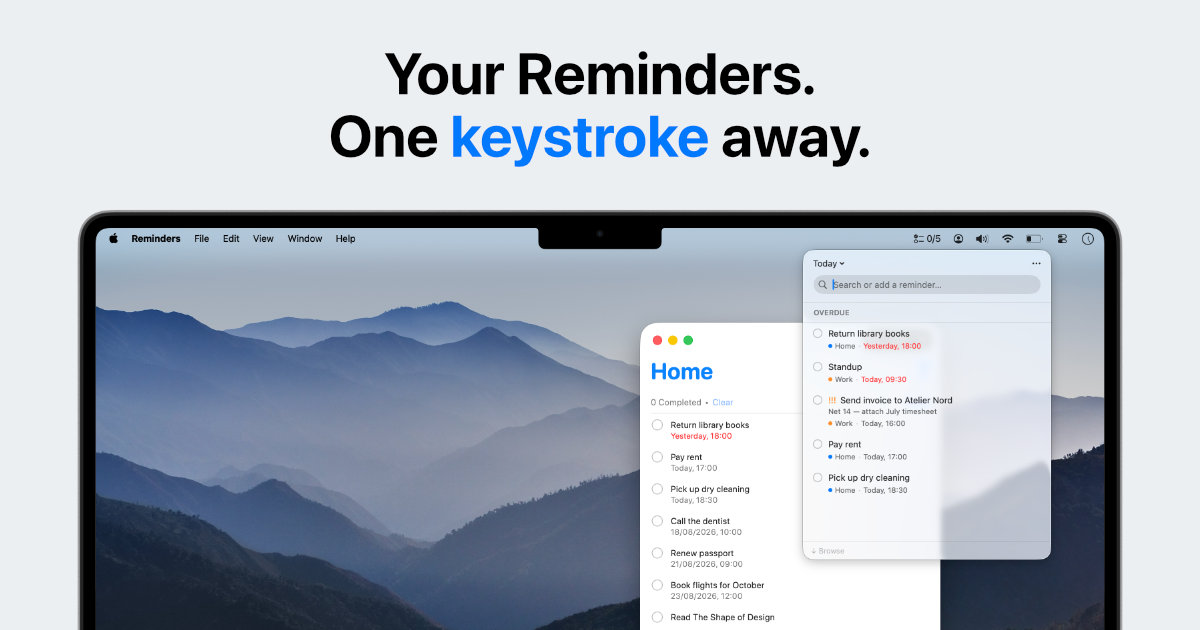
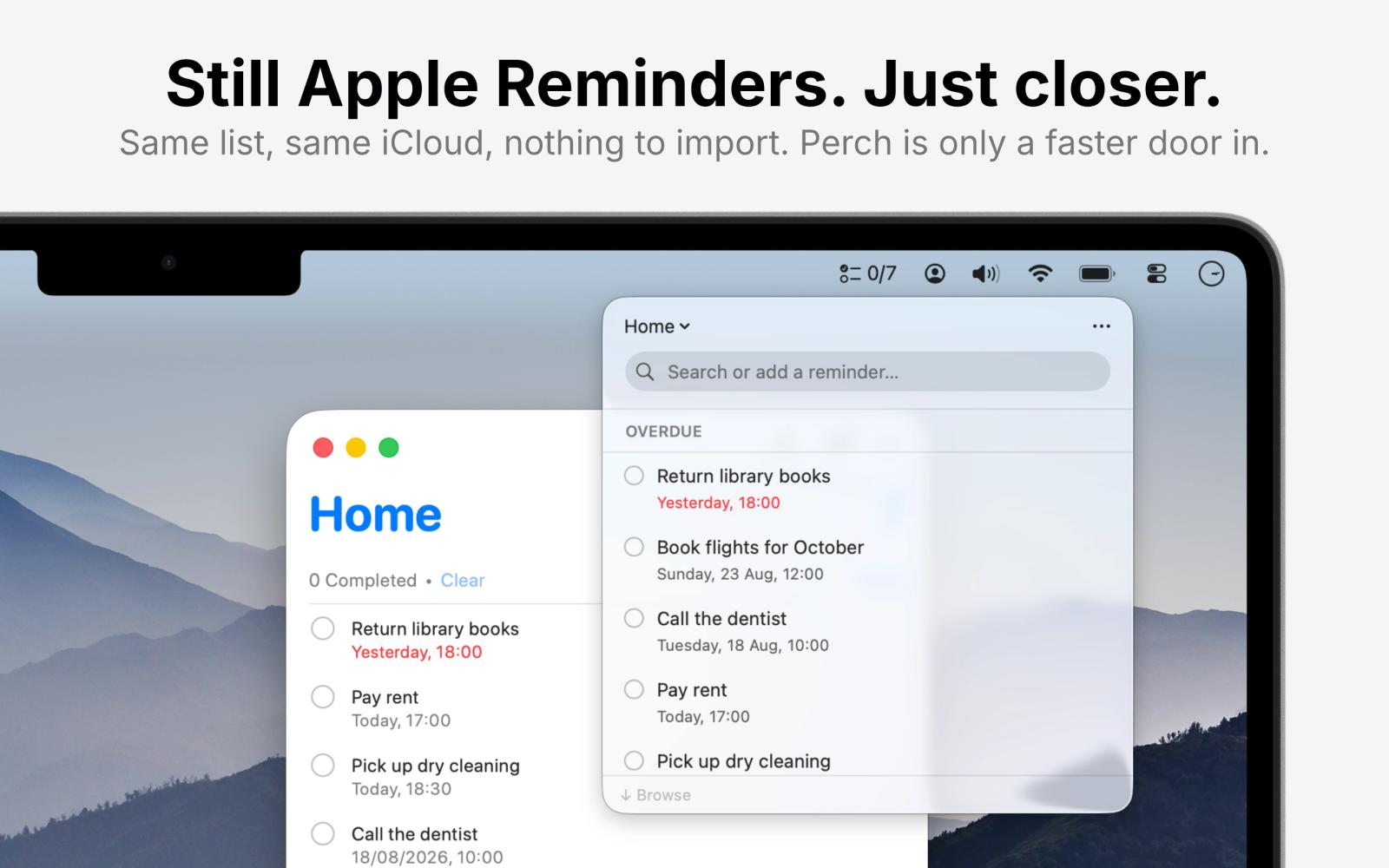
Apple's Reminders is a great place to keep your tasks but a slow place to add one. You have to open the app, find the right list, and click into a field before you can type a single word. Perch fixes that.
Perch lives in your Mac's menu bar and opens with a global hotkey from any app. Capture a reminder in plain language, glance at what's due today, and check things off in seconds, without breaking focus. Everything reads and writes the same Reminders you already have, syncing across your iPhone, iPad, and Watch.
You don't switch to Perch instead of Reminders. You use Perch because you use Reminders.
## What Perch helps you do
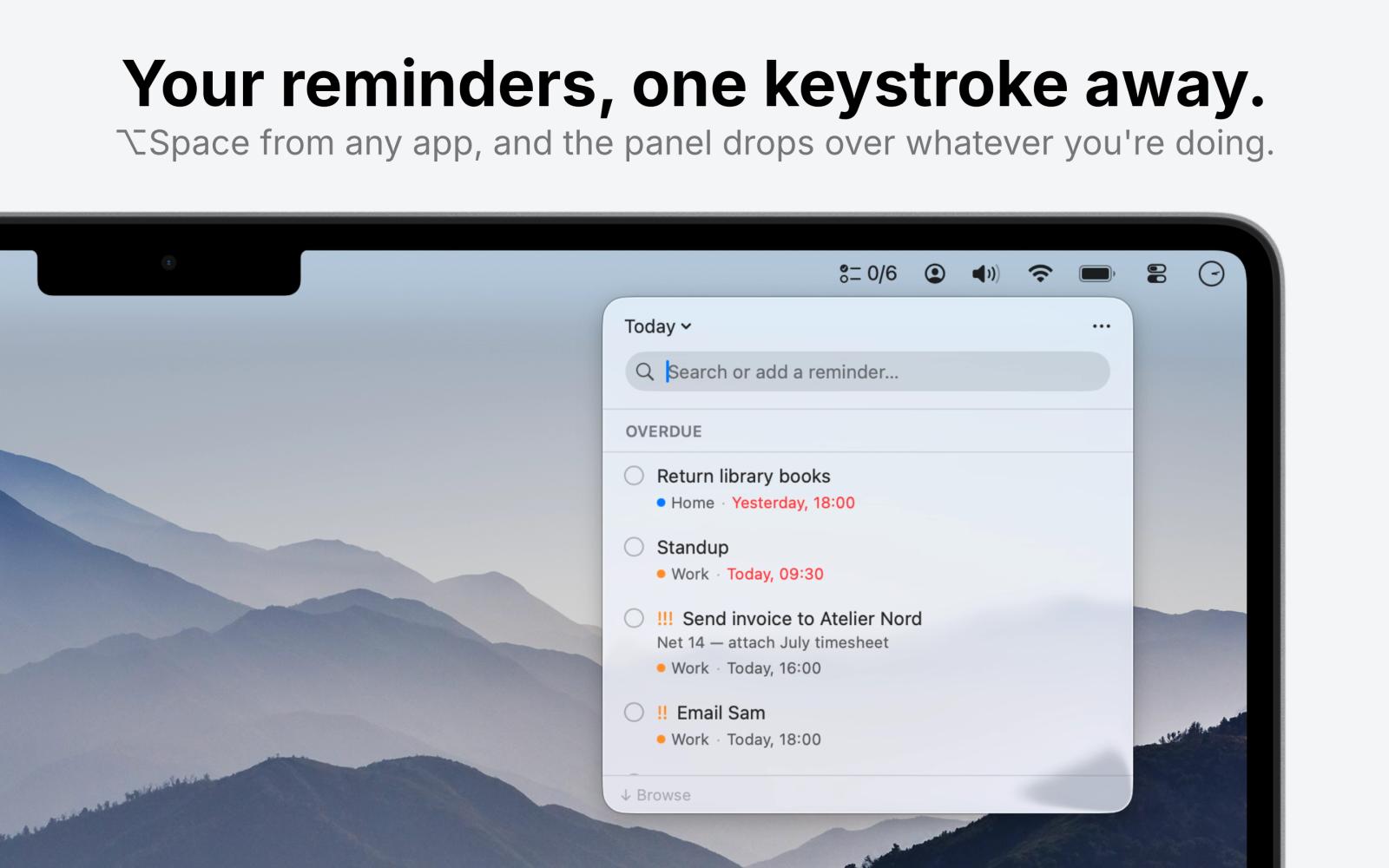
- Capture without breaking flow. Press ⌥Space and the panel drops from the menu bar over whatever you're doing. Esc and it's gone. Rebindable, with separate shortcuts per scope if you want them.
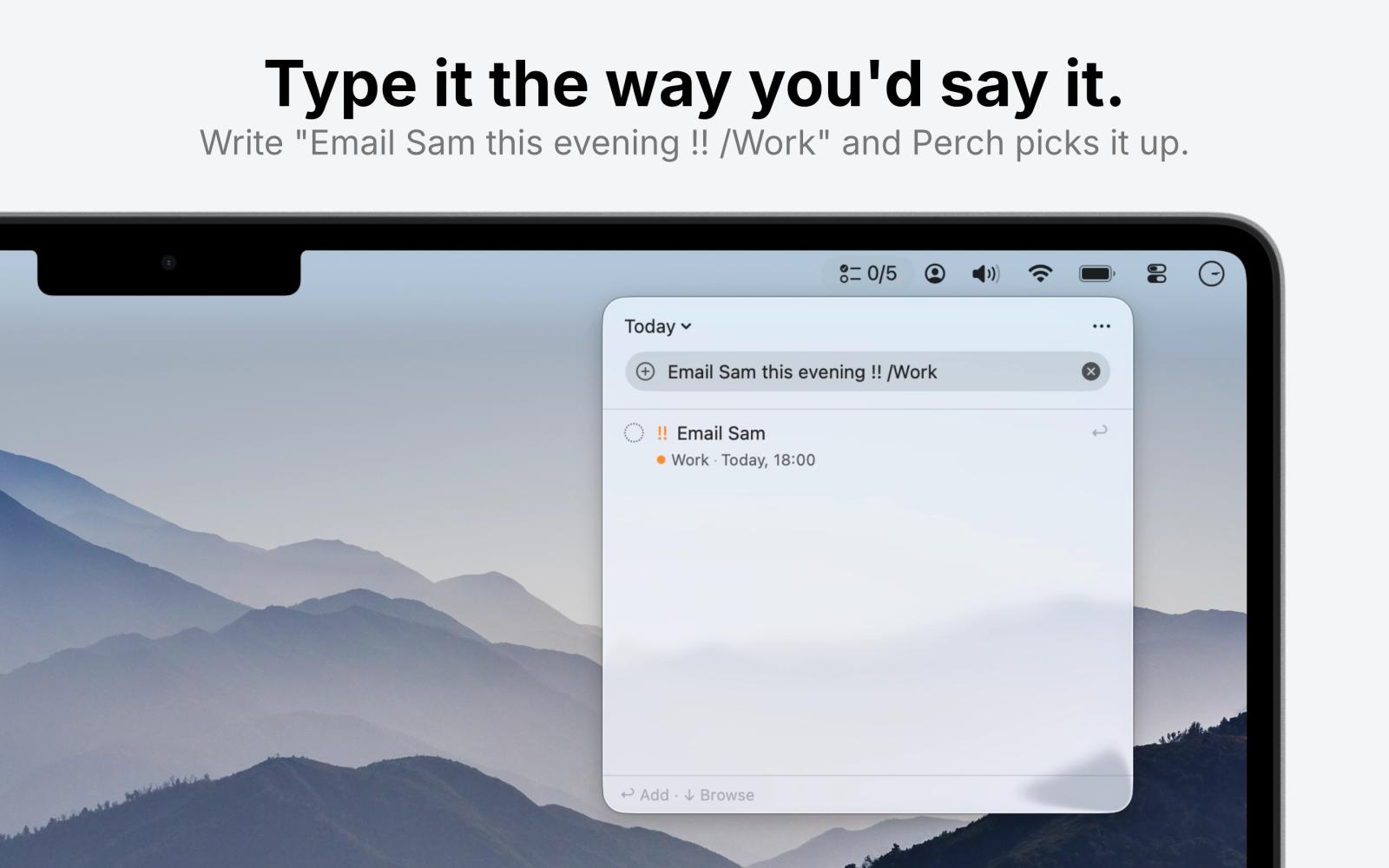
- Say it, don't fill it in. "Book the dentist Friday at nine" or "Water the plants every Monday" goes in as one sentence. Perch reads the date, the time, and the repeat out of it. Set a priority or drop it into a list from the same line.
- Add a handful in one go. Separate them with a semicolon and Perch files them all at once, dates and lists included. Duplicate an existing one when the next task is nearly the same.
- Type badly and still land. "tmrw", "everyday" and "at ten" all go where you expect. List names match without their accents, and when you nearly get a word right, Perch asks what you meant.
- Set real deadlines. Date and time pills, all-day dates, and repeating reminders collapsed to just the next occurrence so the list stays readable.
- Handle several at once. Shift or Command to pick out more than one, then complete, move, delete, or reprioritise them together. One undo takes it all back.
- Stay on the keyboard. Arrows to move, Space to complete, return to edit, Esc to dismiss, ⌘Z to undo a mis-tap. Completed items linger a moment, so a wrong tap is easy to catch.
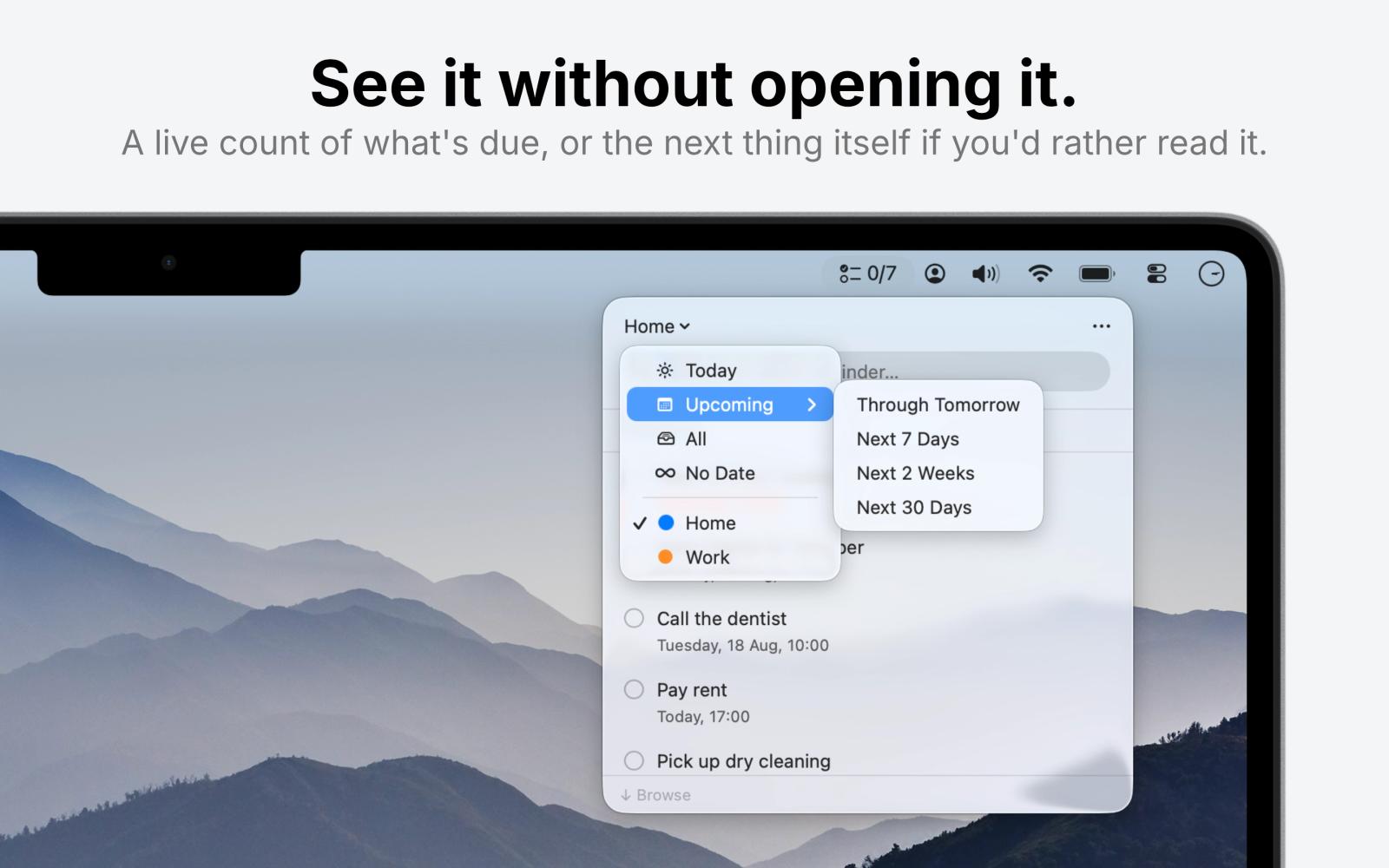
- See only what matters. Switch between Today, Upcoming, All, or any of your lists. Sort by due date, priority, title, or date created. Hide the lists you'd rather not see.
- Read the menu bar instead of opening it. A live count, your next reminder, or how you're doing: "6/10" is six done today out of ten due.
- Make it yours. Pick a panel size, slide it from see-through to solid, and use it in eleven languages.
## How it works
1. Install Perch and grant access to Reminders.
2. Press the shortcut. The panel appears under the menu bar, no Dock icon, no window to find.
3. Type to search your reminders, or type to create one. Same field, no mode switch.
4. Tick things off. Everything lands straight back in Apple Reminders.
## Built differently
There's no new account, no separate database, no import step, and nothing to abandon if you stop using it. Perch reads and writes your existing reminders, so your data stays exactly where it was and keeps working in every other app you already use.
Private by design
No account, no analytics, no network connections of any kind. There's nothing to opt out of, because I never built anything to collect. Requires macOS 14 Sonoma or later.
One price, no subscription
€2.99 once, on the Mac App Store. No trial ladder, no in-app purchases, no upgrade pricing. I build Perch on my own, and updates arrive because I use it every day too.
Give your reminders somewhere to perch.










