FolderyMenu™
FolderyMenu is a Mac menu bar app for instantly accessing files, folders, apps, web links, and cloud drives with smart filters, search, previews, and Finder-like browsing.
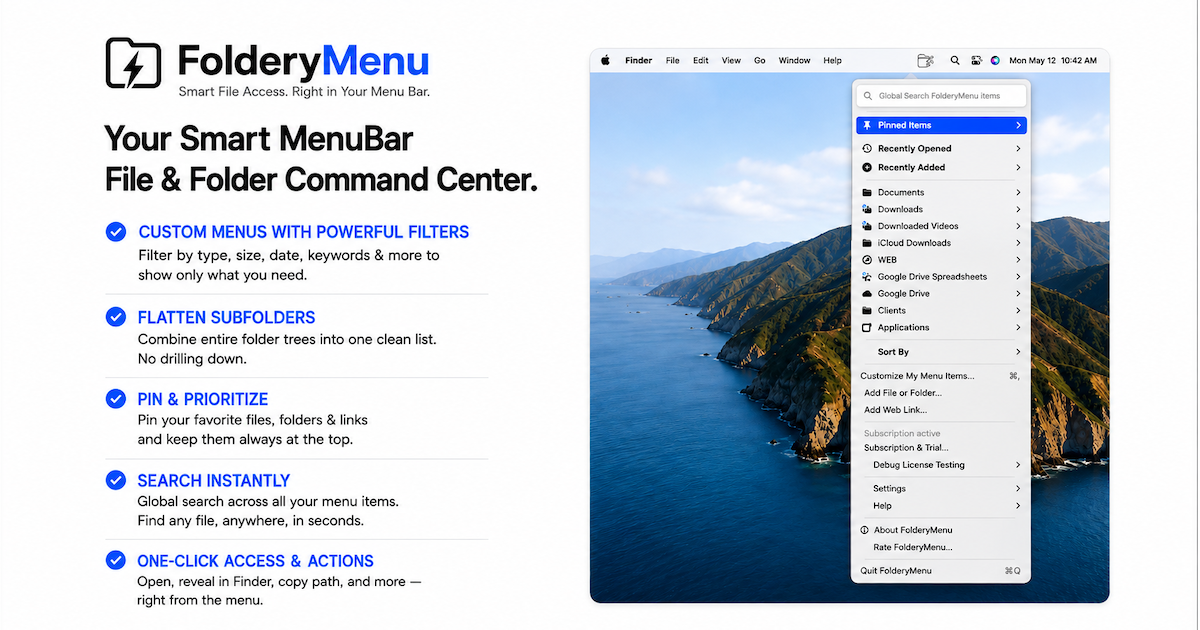
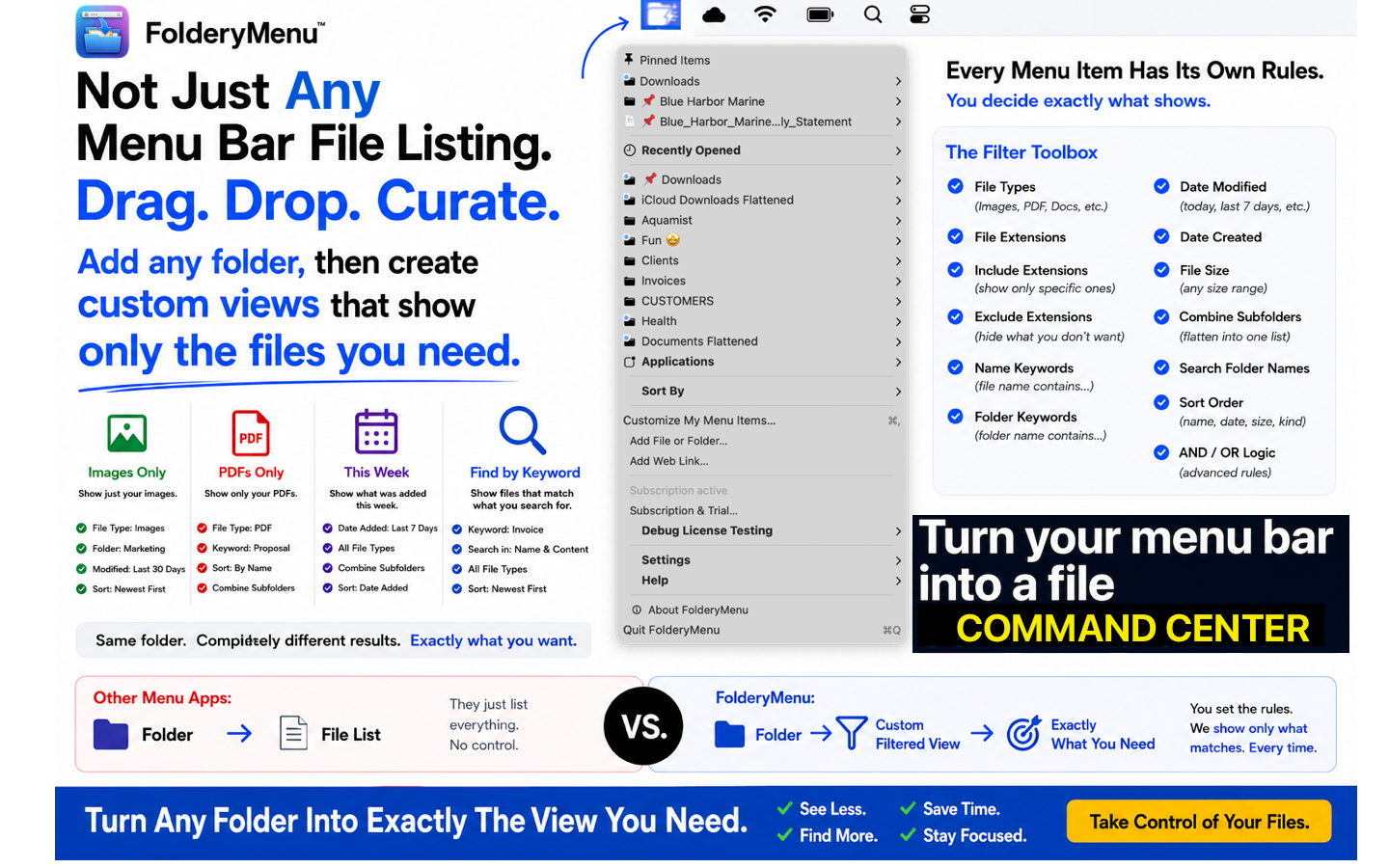
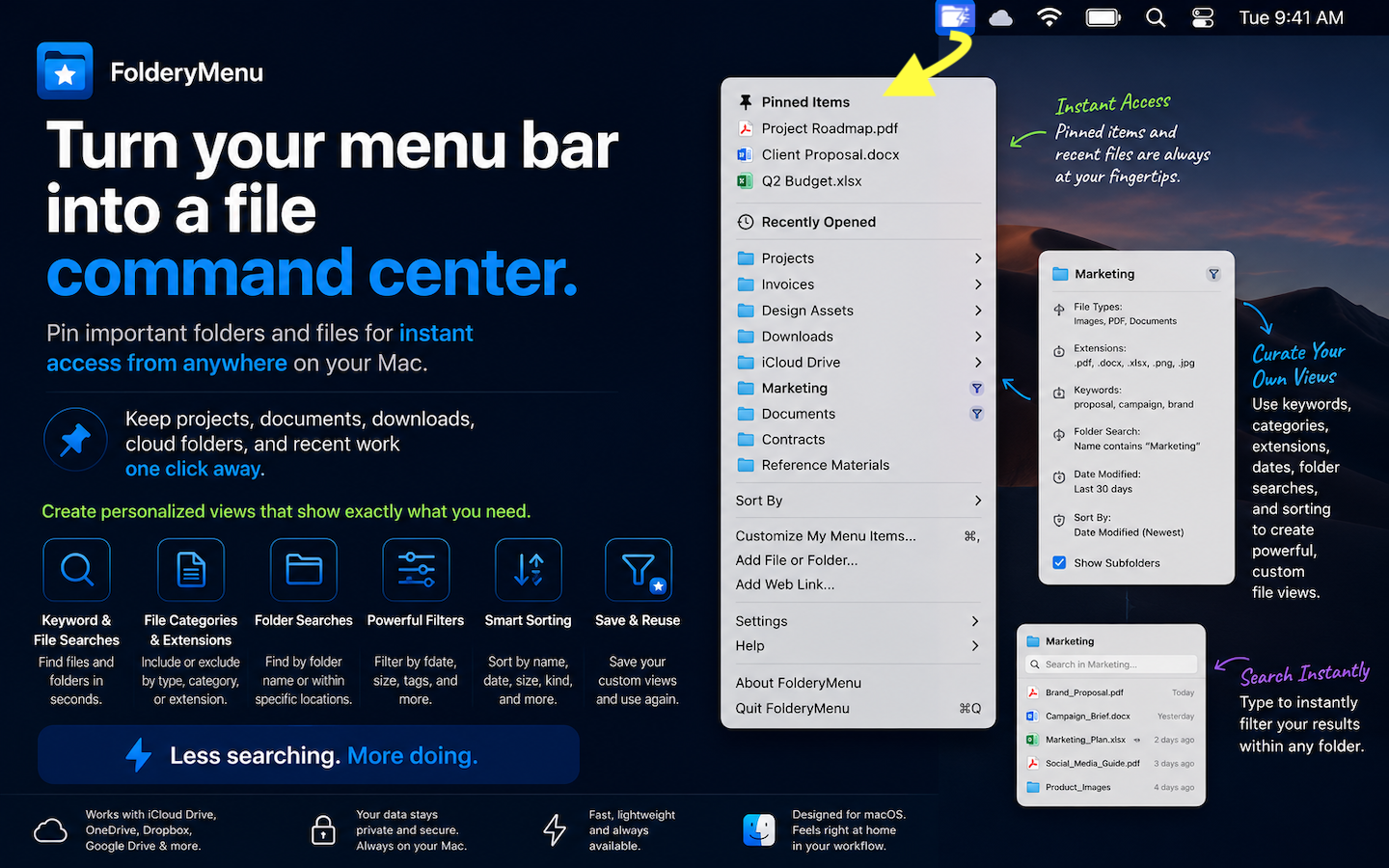
Click the FolderyMenu menu bar Icon for quick access to Files & Folders grouped w/ File Filtering, Search terms, Folder Flattening, Pinning, Recents, Favorite Apps, Web Links:
Not just another Menu Bar Folder/File Browser utility that simply lists files in folders.
Create individual grouped, expandable menu bar pull-down listings:
* "Show only PDF's in a Folder that are > 1M in size and sort by Date Added"
* "Show all IMAGES in a Parent Folder, as a SINGLE file list including images in subfolders"
You control what you see in each FolderyMenu item. Create multiple filtered views from the same folder using powerful search, sorting, keywords and filters—without changing your actual folder structure.
* Local folders, Google Drive, OneDrive, iCloud Drive, files, applications and web links directly from your Mac menu bar
* Create multiple filtered views using powerful search, sorting, keywords and filters
• Flatten nested folders into one live file list (i.e. See ALL PDF's from parent folder and child folders)
* A FolderyMenu entry DOES NOT ALTER your actual folders/files.
• Global search of your entire file list
• Filter by filename OR folder name
• Build menus for Recent Files, PDFs, Photos, Contracts, Invoices and more
* Open any FolderyMenu™ list in a dedicated Foldery Folder™ window—a Finder-style window for viewing, sorting, preview, and file actions.
* Comprehensive settings to allow control over the interface.
*Comprehense in-app help with Tutorial. Support Website with HELP and AI Chatbot assistance.
KEY FEATURES
- Add folders, files, web links, applications (up to 50 main menu Items)
- Supports local folders, Google Drive, OneDrive, iCloud Drive
- Pinned Items Menu: Pin favorites for instant access
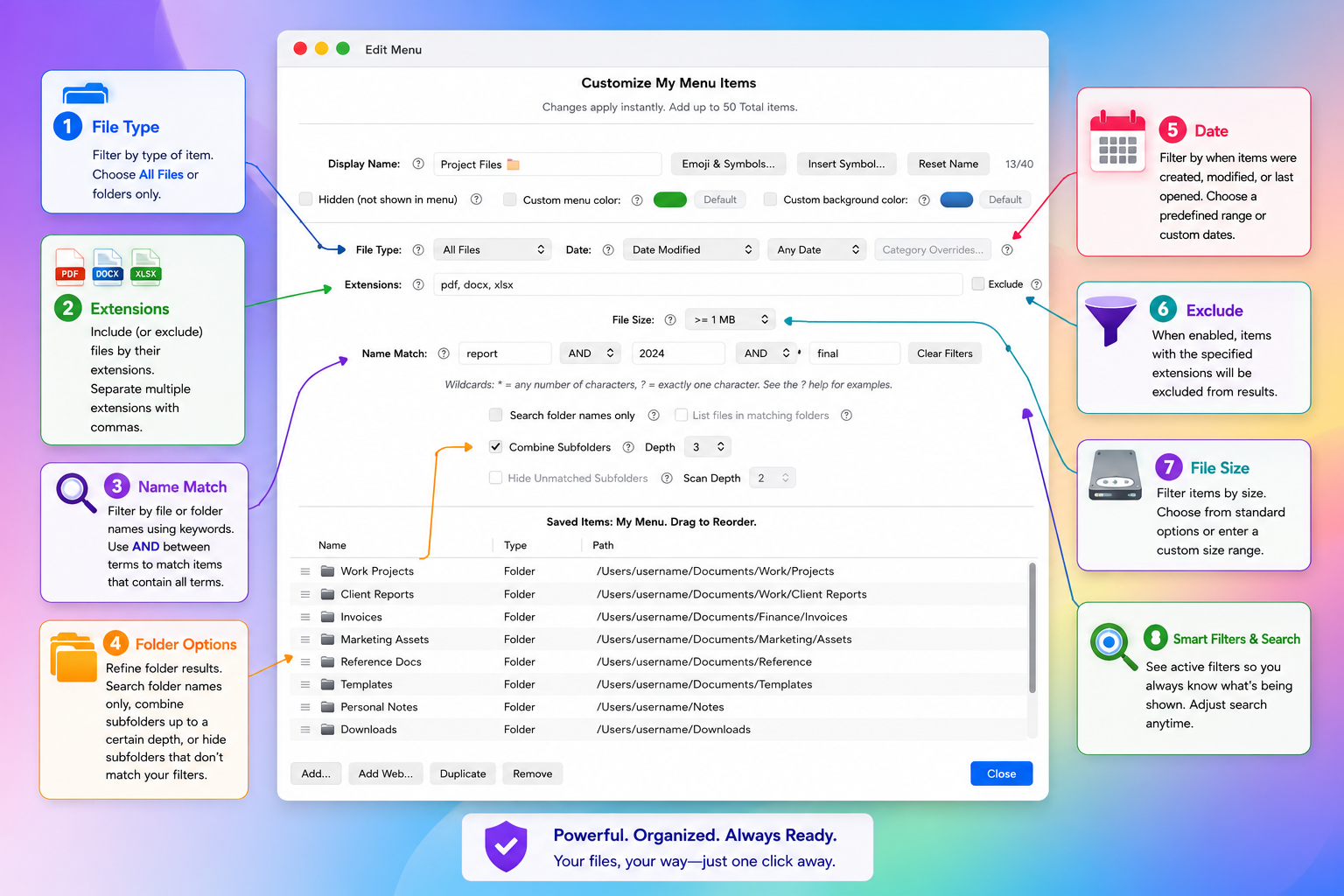
- Filter & search files by file name or folder name to quickly find related documents
- Secondary search on existing FolderMenu items for even more fine-tuning.
- The FolderyMenu has NO effect on your actual folder structure
- Visual indicators show active searches, filters, cloud items directly in the menu item. See Help for details.
- Adjust the order of your items to suit your needs (custom, last accessed, etc)
- Add the same folder multiple times with CUSTOM names, filters, and views/sorting
- Combine nested folders into ONE filtered list (flatten folders)
- Import macOS Smart Folder links (.savedSearch) which open directly in Finder
- Hide unmatched subfolders - see ONLY folders that contain the files you want
- Recently Opened section with configurable limits
- Built-in previews + macOS Quick Look
- Enable an Applications menu with Pinning for quick access to your most-used apps.
- Rename, Reveal in Finder, Open With…, or Move to Trash directly from the menu
- Drag and drop support (including from FolderyFolder)
- Light / Dark / System appearance modes
- Launch at login
- In-App Help / Searchable Help Online
FLEXIBLE SORTING
* Name, Date Added, Date Created, Date Modified, Date Last Opened, Manual ordering for your main FolderyMenu list.
Browse nested folders directly or FLATTEN entire subfolder trees into one filtered list—including Google Drive, OneDrive, iCloud, and local folders. Turn deep folder structures into quick-access file views.
REAL-WORLD USES
• Turn your cluttered Downloads folder into an instantly sorted view of your newest PDFs, installers, screenshots, or work files
* Create a unified Invoices menu that combines files across customer folders, subfolders into one clean filtered list.
* Build separate views from the same folder—like Recent Files, Spreadsheets, Photos, Contracts, or Receipts—each with its own filters/sorting.
* Add frequently used web links—CRMs, dashboards, admin portals.
* Add "System Settings" app to the menu bar
* Create focused media menus like All PDFs, Recent Photos, Videos, Receipts, or ZIP Archives from deep folder trees in seconds.