Forma
The best native whiteboard for Mac
Forma is a native macOS whiteboard for people who think spatially.
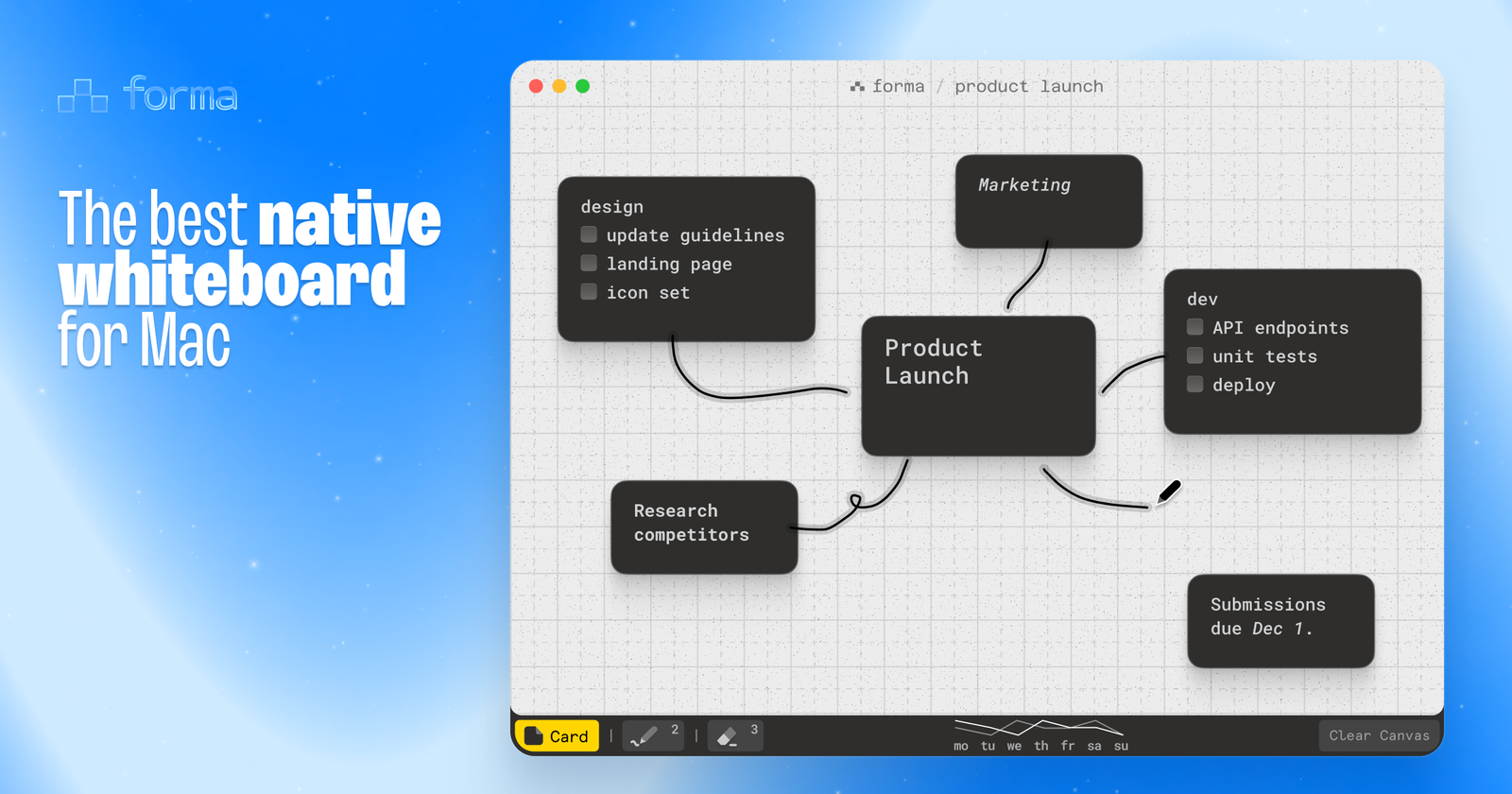
Most productivity apps force you into a list. Forma gives you a canvas instead — a visual workspace where sticky notes, to-dos, and freehand marker strokes all live together. You place cards wherever makes sense, circle things that belong together, cross out what's done with the eraser. The spatial arrangement not a decoration but rather part of the thinking.
It started from a specific problem: digital tools for thinking don't feel like thinking. Outlines impose structure before you have any. Whiteboards like Miro are collaborative tools that become overwhelming when you're alone with an idea. Forma is a personal lightweight thinking surface.
What makes it different:
- Native Swift — not an Electron wrapper or a web app in a window frame. Instant, smooth, no lag on the canvas
- Card + marker canvas — create sticky notes anywhere, draw freehand between and around them with the marker tool, erase either with the eraser
- Tasks inside cards — cards support basic markdown including checkboxes, so your notes and to-dos live in the same place
- Window-sized canvas — deliberately bounded, not infinite. Forces focus instead of sprawl
- Multiple boards — switch between canvases for different projects or contexts
- Mini analytics — a small chart shows how many cards you've cleared each day over the past two weeks
- 100% local — no account, no subscription. Your data is a file on your Mac
- One-time purchase
- Under 5MB in size
Who it's for: people who map before they act. Developers thinking through a system before they write code. Founders keeping a few threads visible at once. Anyone who has opened a notes app, typed three words, and immediately lost the thread.











