
Lofi Space
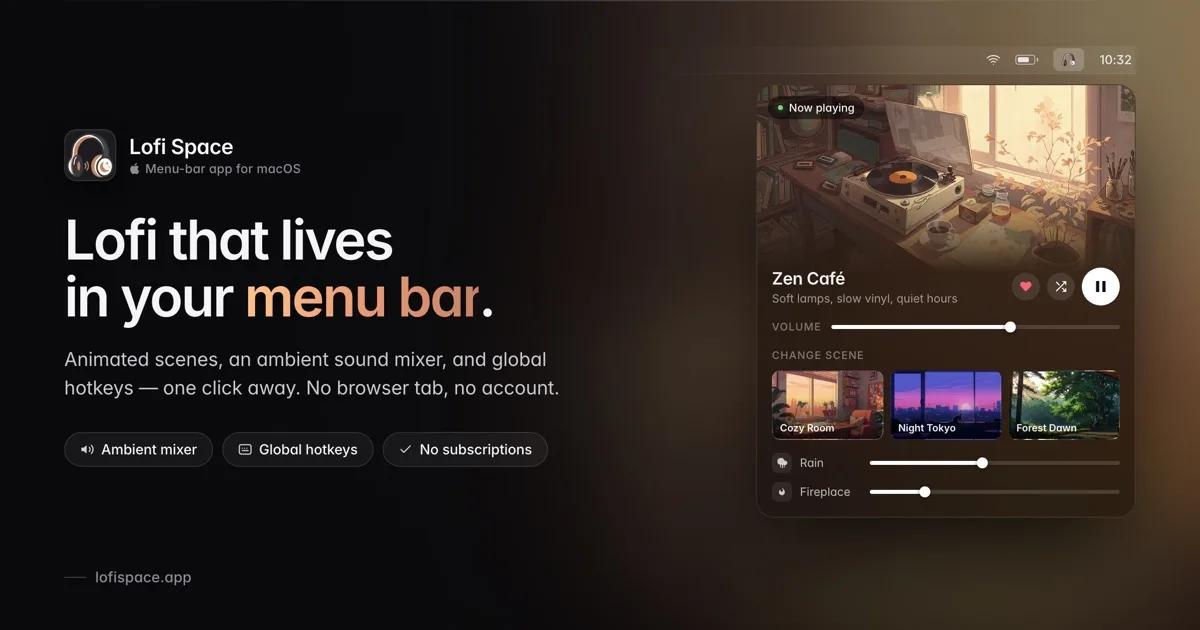
A native macOS menu-bar app for lofi music with animated scenes, an ambient mixer, custom soundscapes, and one-tap focus.
Every focus setup I had ended the same way: a browser tab playing a lofi stream, buried under twenty other tabs, occasionally hijacked by an ad — and always the first thing to die when I quit the browser to clear my head. Music that's supposed to help you concentrate shouldn't need a tab, an account, or a monthly bill.
So I built the thing I actually wanted: Lofi Space, a native macOS lofi player that lives in your menu bar and gets out of the way.
What it is
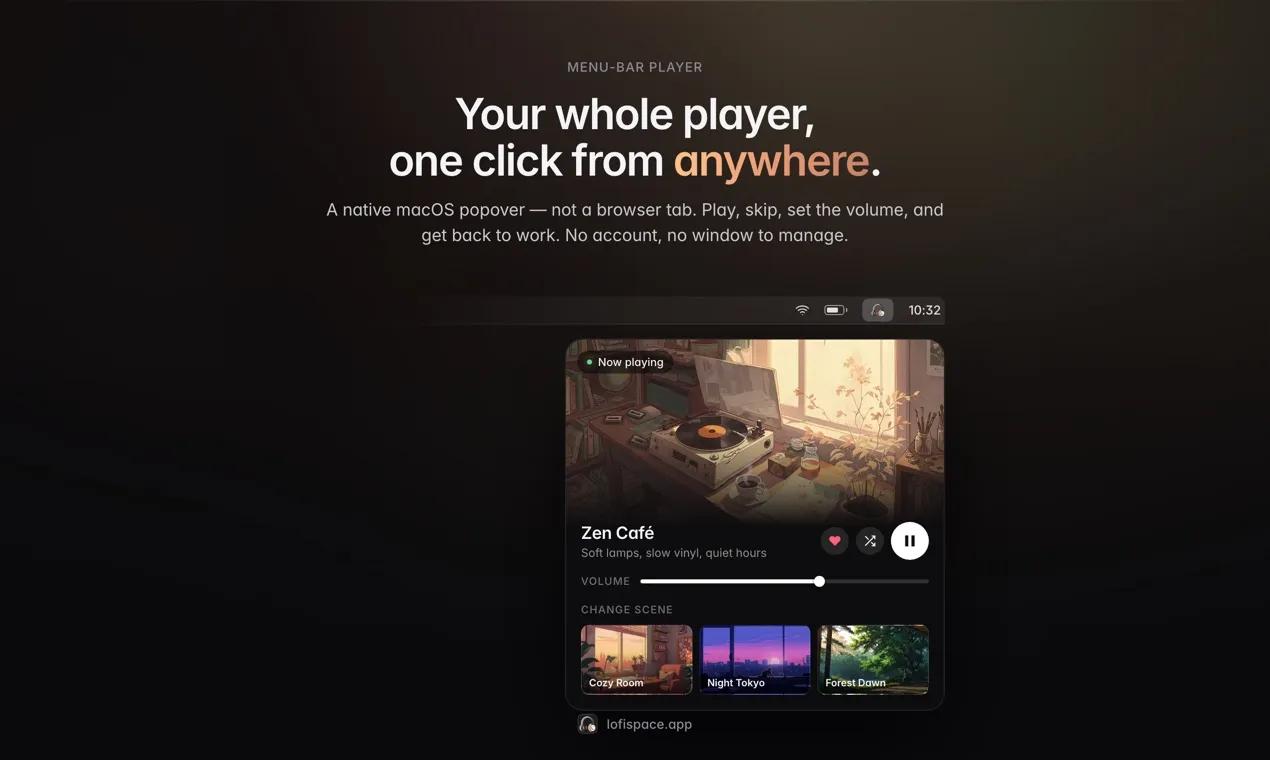
Lofi Space is a small, real Mac app — Swift and SwiftUI, not a web page in a wrapper. It sits in your menu bar as a single icon. Click it and a compact popover slides down with the track that's playing, transport controls, and volume. That's the whole surface area on most days. When you want more, a full-screen launcher opens the scene library.
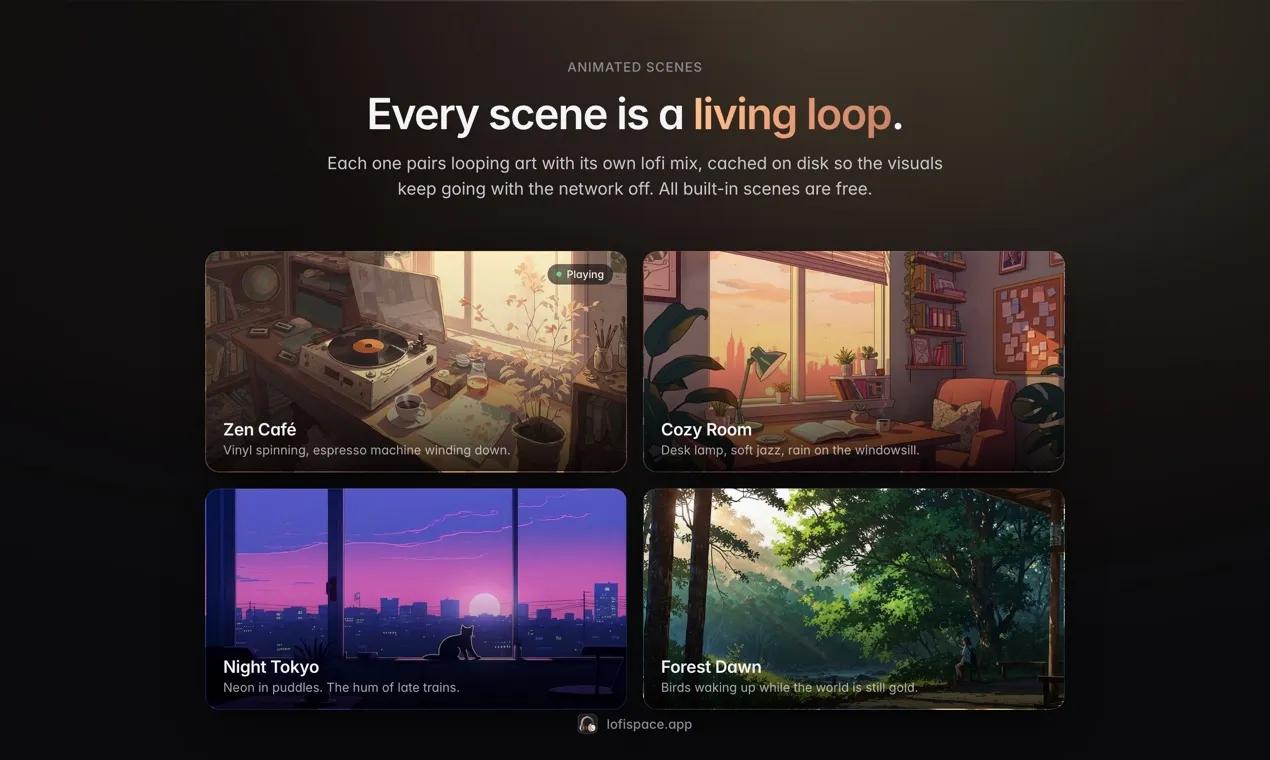
Each scene is a room: an animated looping video paired with an original lofi mix written for it.
- Zen Café — vinyl spinning, espresso machine winding down.
- Cozy Room — desk lamp, soft jazz, rain on the windowsill.
- Night Tokyo — neon in puddles, the hum of late trains.
- Forest Dawn — birds waking up while the world is still gold.
Pick a room, hit play, stay a while. New scenes ship in free updates — never as a second purchase.
Who it's for
People who work with music on for hours and don't want to think about it: developers, designers, writers, students, anyone who opens a laptop and needs the room to settle before the work starts.
If you already have Spotify and a favorite playlist, you may not need this. Lofi Space is for the people who kept a lofi stream open all day and quietly resented what it cost them — the tab, the ads, the account, the algorithm deciding what focus sounds like today.
What makes it different
- It's native. Instant cold start, tiny footprint. Media keys work. Now Playing and Control Center work. Cover art shows in the menu bar. All the things a Mac app is supposed to do and a browser tab never quite does.
- It works offline. Audio is cached to disk against a budget you set, from 100 MB up to 5 GB. Scene videos are cached too, so the visuals keep looping with the Wi-Fi off. Pin a scene and its whole track list is locked to disk, safe from eviction. It works on the plane.
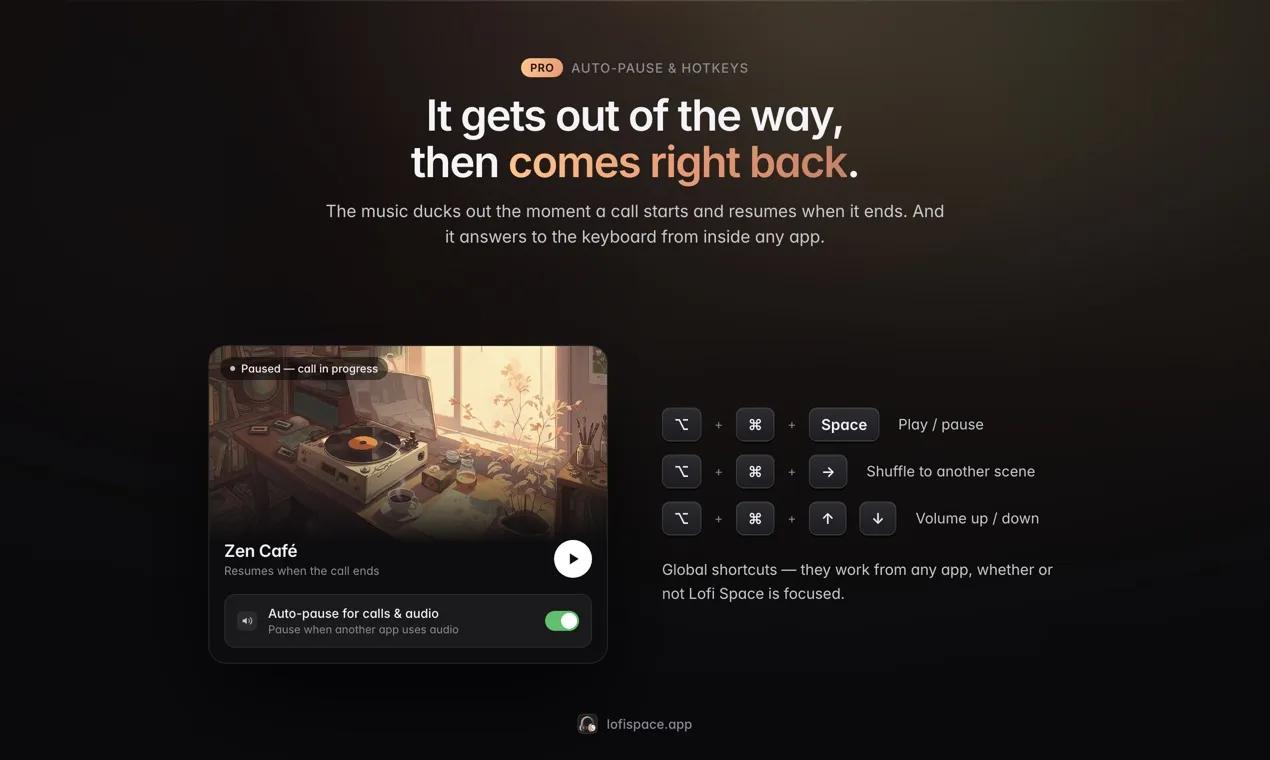
- It respects the call. Auto-pause watches for other apps using your speakers or mic and pauses playback — then picks up five seconds after the call ends. It needs no microphone permission: macOS exposes per-process audio activity as metadata, so the app never records, watches, or transmits anything.
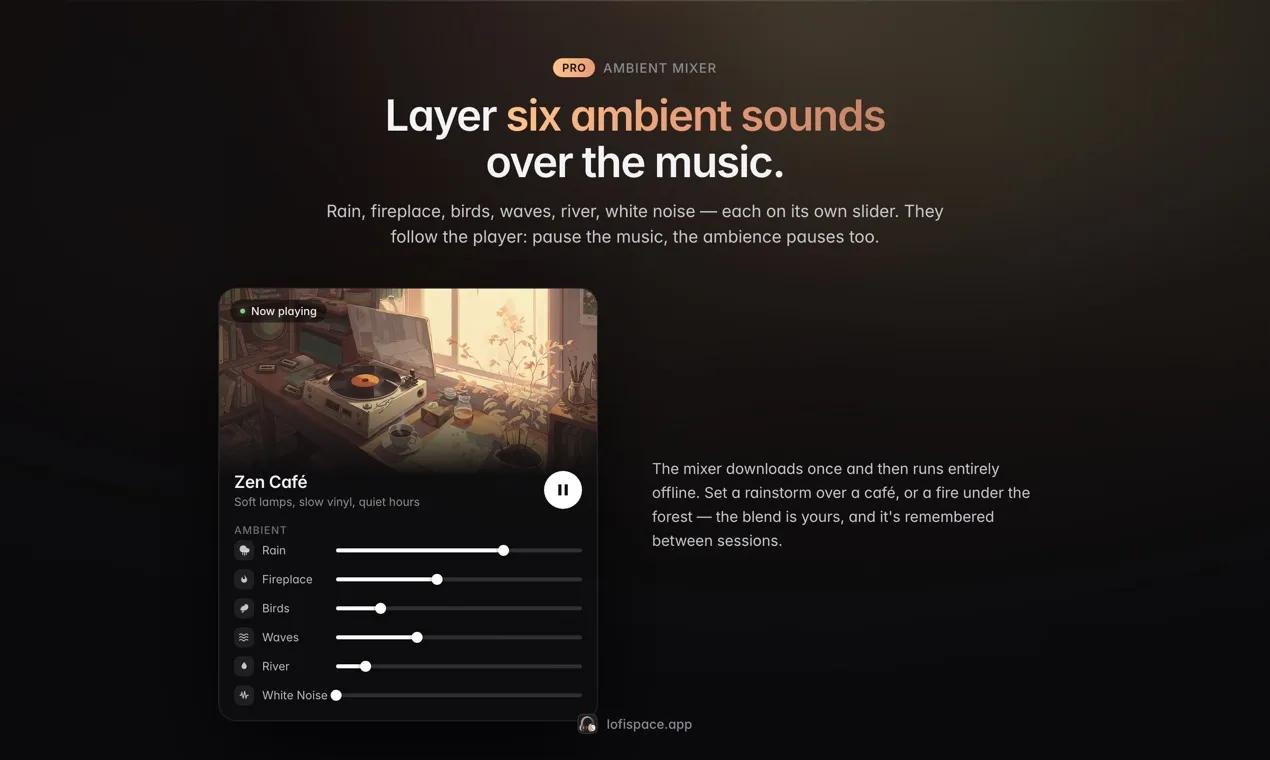
- It layers. The ambient mixer adds six loops on top of the music — rain, fireplace, birds, waves, river, white noise — each with its own slider. Rain over a jazz mix at 55%, fireplace at 20%. Build the room you want.
- It stays out of the way.
⌥ + ⌘ + Spaceto play or pause,⌥ + ⌘ + →to swap scenes,⌥ + ⌘ + ↑↓for volume — from any app, without ever looking at the window.
The pricing, and why
Free is free forever. Not a trial, not a countdown, not three scenes and a paywall: the player, the menu bar popover, the launcher, every built-in scene with its full artwork, favorites, and cache control — all free, no account, no sign-up.
Pro is $4.99. Once. It adds the ambient mixer, auto-pause for calls, global hotkeys, and pinned offline downloads, plus every future scene and update. Buy it once and you own it. Purchases go through Polar with a 14-day refund window.
There's no subscription because a lofi player shouldn't have a subscription. There's no account because a music player doesn't need to know who you are. You register a license key once, online, and the app is yours offline after that.
Why it matters
The small tools you touch every day set the temperature of your work. Most of them have gotten heavier — more accounts, more upsells, more notifications, more surface begging for attention. This one is deliberately the opposite: an app you set up in about a minute and then genuinely forget, doing exactly one thing well in the corner of your screen while you do the thing that actually matters.
Play, focus, forget it's there. That's the whole pitch.
Requirements: macOS 14 Sonoma or later. Universal binary — Apple Silicon and Intel are both first-class. Download at lofispace.app.











