WallTune
Animated video lock screens for your Mac.
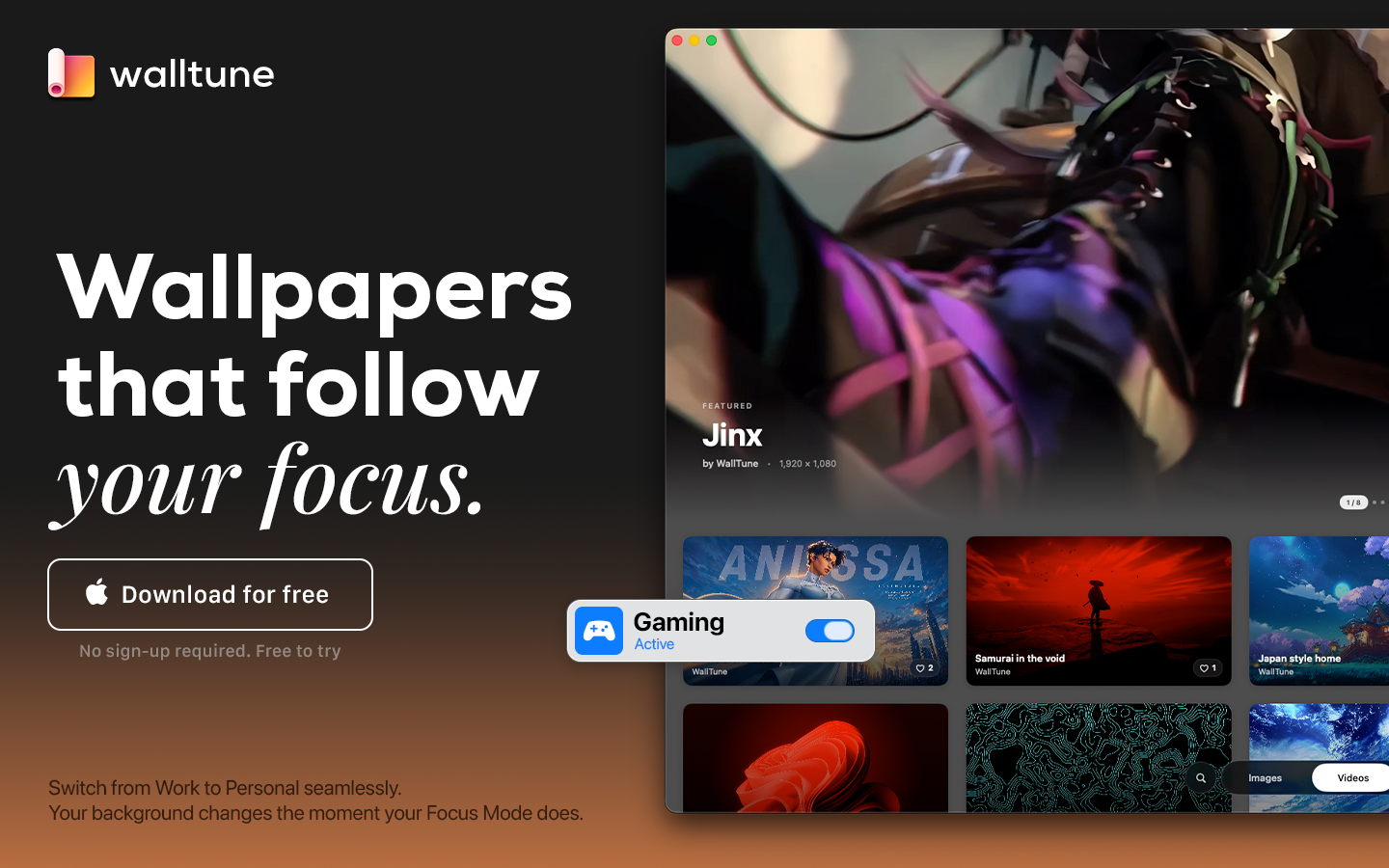
WallTune is an innovative native application designed to transform the visual experience on macOS. Its main goal is to allow users to set any video as an animated lock screen, flawlessly replicating the elegant behavior and "Aerial"-style transitions offered natively by Apple.
What Makes WallTune Different?
WallTune stands out by giving users the ultimate freedom to customize their workspace. It empowers you to seamlessly adjust and fit any live wallpaper across your monitors exactly how you want it. Going a step further, it provides intuitive tools to visually align your backgrounds across multiple displays, ensuring a perfectly positioned and continuous aesthetic throughout your entire setup.
Key Features & Benefits:
Total Visual Alignment:* Say goodbye to mismatched wallpapers. WallTune allows you to visually align and adjust your live wallpapers across multiple monitors, creating a unified and stunning multi-display setup.
Ultimate Wallpaper Freedom:* Fit, scale, and adjust any video to your screen's exact dimensions. You have complete control over how your animated wallpaper looks on your monitors.
Native "Aerial" Transitions:* Enjoy perfect visual continuity. The video plays and pauses naturally as you lock and unlock your computer, behaving exactly like Apple's native dynamic wallpapers.
Focus Mode Integration:* Tie your animated lock screens directly to your macOS Focus Modes. WallTune can automatically switch your lock screen video based on your current activity—displaying a calm, subtle video during "Work" mode, and switching to something more vibrant for "Personal" or "Gaming" time.
Built for Stability:* WallTune is engineered with a rigorous focus on maintaining system integrity. It intelligently manages your video files behind the scenes to ensure a smooth, lightweight experience without leaving residual files or altering your original desktop layout.
In Summary
WallTune doesn’t just customize your Mac; it brings it to life and adapts to your daily workflow. With its powerful alignment tools and Focus Mode integration, it is the ultimate tool for users and creators looking to take their computer's aesthetics to the next level, achieving a modern, dynamic, and completely personalized workspace.