TetherShot app icon

TetherShot

Capture iPhone screenshots from your Mac menu bar.
Pricing

Open Source

Category

Updated

—

Clicks

32
TetherShot — image 1

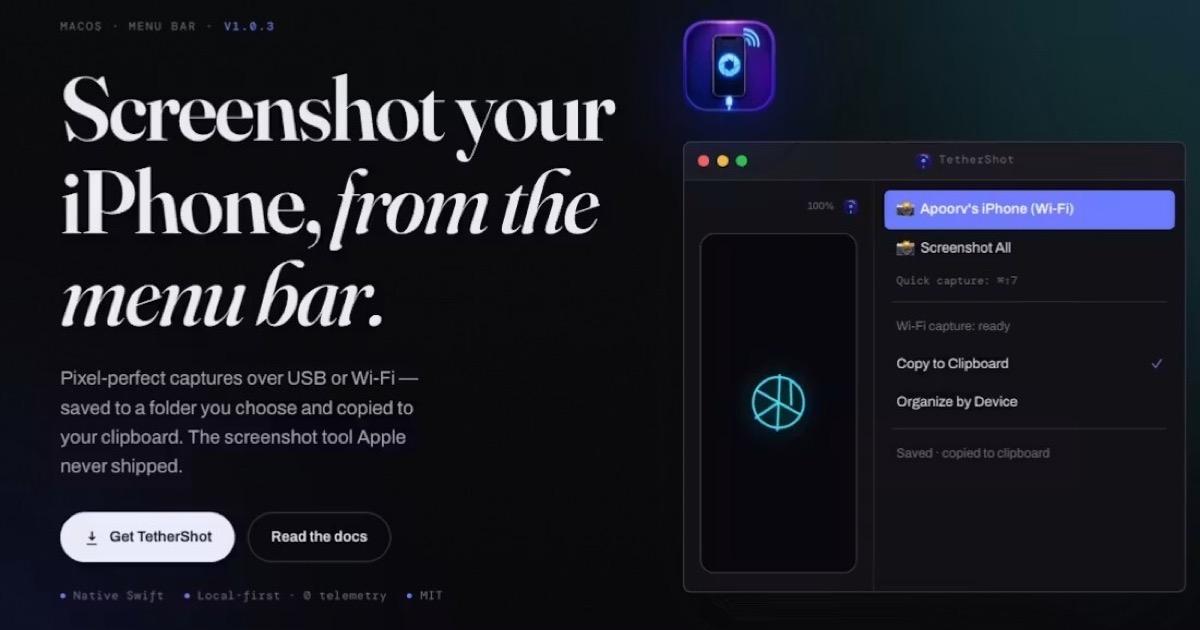
TetherShot is a native macOS menu-bar utility for capturing pixel-perfect iPhone screenshots without reaching for the phone.

Connect an iPhone over USB or Wi-Fi, choose a device, and capture its display straight into a folder you control. Every capture can also be copied to the clipboard, ready for documentation, App Store assets, support messages, or design reviews.

## Highlights
- USB and Wi-Fi capture
- Global keyboard shortcut
- Save to any chosen folder
- Automatic clipboard copying
- Optional folders organized per device
- Native Swift interface
- No account, analytics, telemetry, or server

TetherShot is free and open source under the MIT License. Source: GitHub.

More in Utility

Shotbase app icon

Shotbase

Shotbase is a modern screen capture workspace for macOS.

DisplayBuddy app icon

DisplayBuddy

Control external displays without touching the buttons

Redact Guard app icon

Redact Guard

Blacks out secrets in your screenshots before you share

ShiftBar app icon

ShiftBar

A companion to native menu bar folding on macOS 27.

Ghostmark app icon

Ghostmark

Your name and today's date, tiled across your shared screen

Zoundry app icon

Zoundry

Per-app volume control and audio routing for Mac.

Featured apps

Screen Movie app icon

Screen Movie

Screen Recording & Motion Editor for macOS

ScreenPlace app icon

ScreenPlace

Effortlessly put every window in its place on your Mac.

Shotbase app icon

Shotbase

Shotbase is a modern screen capture workspace for macOS.

VidMage app icon

VidMage

Private AI face swapping for photos, videos and live calls

Hejour app icon

Hejour

A calm macOS notebook where every day is a page

Glance app icon

Glance

Native markdown editor for macOS

Shortap app icon

Shortap

Quick tap gestures for your MacBook

Supaste app icon

Supaste

Clipboard and screenshot history

Cooldock app icon

Cooldock

Second Dock to your Mac with live widgets

DisplayBuddy app icon

DisplayBuddy

Control external displays without touching the buttons

Letterboxx app icon

Letterboxx

A dedicated reader for email newsletters.