

MacappSupply

Discover

Hot Latest Trending Supply Pick

Categories

View all

More

Icons Sponsor
Submit an app
MacappSupply
AppsCategoriesIcons
SponsorSubmit an app
Apps/Utility/Amply
Amply app icon

Amply

Utility

Keep your Mac's battery at 80%. Know why it slips.

Visit website

Author

Aretebase

Pricing

Paid

Category

Utility

Updated

—

Clicks

0
Amply — image 1
Amply — image 2
Amply — image 3
Amply — image 4

About Amply

Amply is a battery app for Macs with Apple silicon. It uses the charge limit Apple added in macOS 26.4 and turns it on and off for you. There's no helper tool and no admin password, and it never writes to the chip that runs charging.

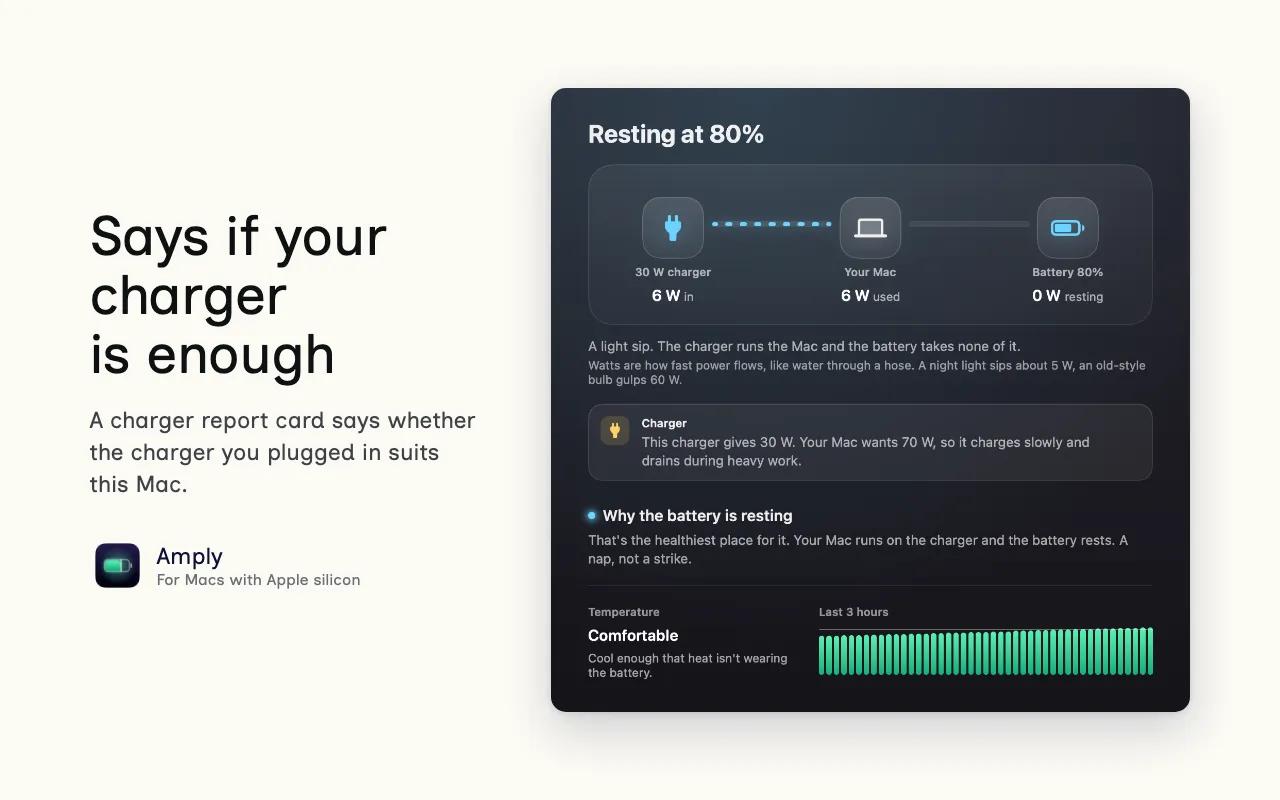
We wanted every state to come with a plain sentence. At the limit it reads "Your Mac runs on the charger and the battery rests." If the battery charges past your limit (or someone switches the limit off), you get a notification and 3 likely causes.

A few more things it does:

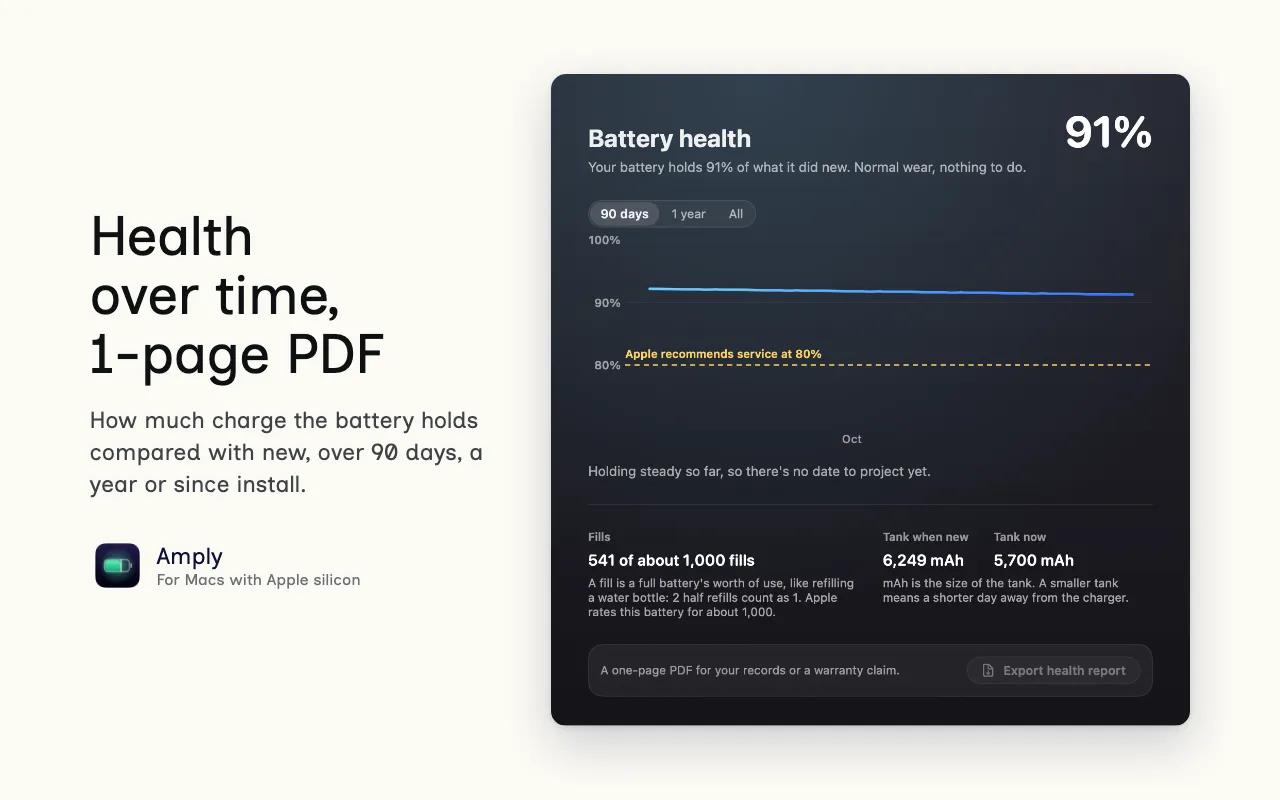
  1. Tracks battery health over 90 days, a year or since install, and exports a 1-page PDF.
  1. Tells you whether the charger you plugged in is enough for this Mac.
  1. Shows time left in words, such as enough for a 3-hour meeting.
  1. Charges to 100% once for a long day out, then turns the limit back on.

It comes in English, Spanish, German, French and Japanese. The trial is free for 14 days with every feature (no card needed). After that it's $9.50 once (50% off $19), and 1 key covers 3 Macs.


More in Utility

Shotbase app icon

Shotbase

Shotbase is a modern screen capture workspace for macOS

Cleanview app icon

Cleanview

Clean View is a native Mac image viewer and media organizer.

Tuck app icon

Tuck

Hide and organize your Mac menu bar, without the clutter

Squeezo app icon

Squeezo

Squeezo shrinks, converts and edits photos, videos, GIFs and PDFs on your Mac. Fully offline, no account, one-time purchase.

Dropmute app icon

Dropmute

Free local image, video and document converter for Mac

Aide app icon

Aide

Menu bar load indicator with Pause and Kill

Ornix app icon

Ornix

Sorts any Mac folder into categories, automatically.

TOMA app icon

TOMA

⇧⌘4, but for video. Record a region as MP4, HEVC or GIF.

Featured apps

Woday app icon

Woday

Meet Woday, a beautifully designed daily planner for Mac.

Trailback: Find, Organize & Tidy Files on Mac app icon

Trailback: Find, Organize & Tidy Files on Mac

Search your Mac the way you remember it, then sort and tidy

Letterboxx app icon

Letterboxx

A dedicated reader for email newsletters.

Screen Movie app icon

Screen Movie

Screen Recording & Motion Editor for macOS

Shortap app icon

Shortap

Quick tap gestures for your MacBook

Supaste app icon

Supaste

Clipboard and screenshot history

Cooldock app icon

Cooldock

Second Dock to your Mac with live widgets

Subscribe for updates

Hear about new, useful, beautifully designed macOS apps as we add them to the shelf. No spam, unsubscribe anytime — by subscribing you agree to our Privacy Policy.

MacappSupply

A curated shelf of beautifully designed macOS apps.

Solt WagnerCurated bySolt Wagner

Menu

  • Home
  • Icons
  • Submit an app
  • Sponsor
  • Listing guidelines
  • Contact
  • Privacy
  • Terms

Categories

  • AI
  • Analytics
  • Audio
  • Business
  • Communication
  • Design
  • Dev
  • Entertainment
  • Finance
  • Lifestyle
  • Marketing
  • Photography
  • Productivity
  • Utility
  • Video
  • Writing

Featured

  • Woday app iconWoday
  • Trailback: Find, Organize & Tidy Files on Mac app iconTrailback: Find, Organize & Tidy Files on Mac
  • Letterboxx app iconLetterboxx
  • Screen Movie app iconScreen Movie
  • Shortap app iconShortap
  • Supaste app iconSupaste
  • Cooldock app iconCooldock

© 2026 Macapp Supply. All rights reserved.

RSS

A manually curated collection. Some outbound links may be affiliate links. Not affiliated with Apple Inc. — all app marks belong to their respective owners.