Now
What you're listening to, with lyrics, on your desktop
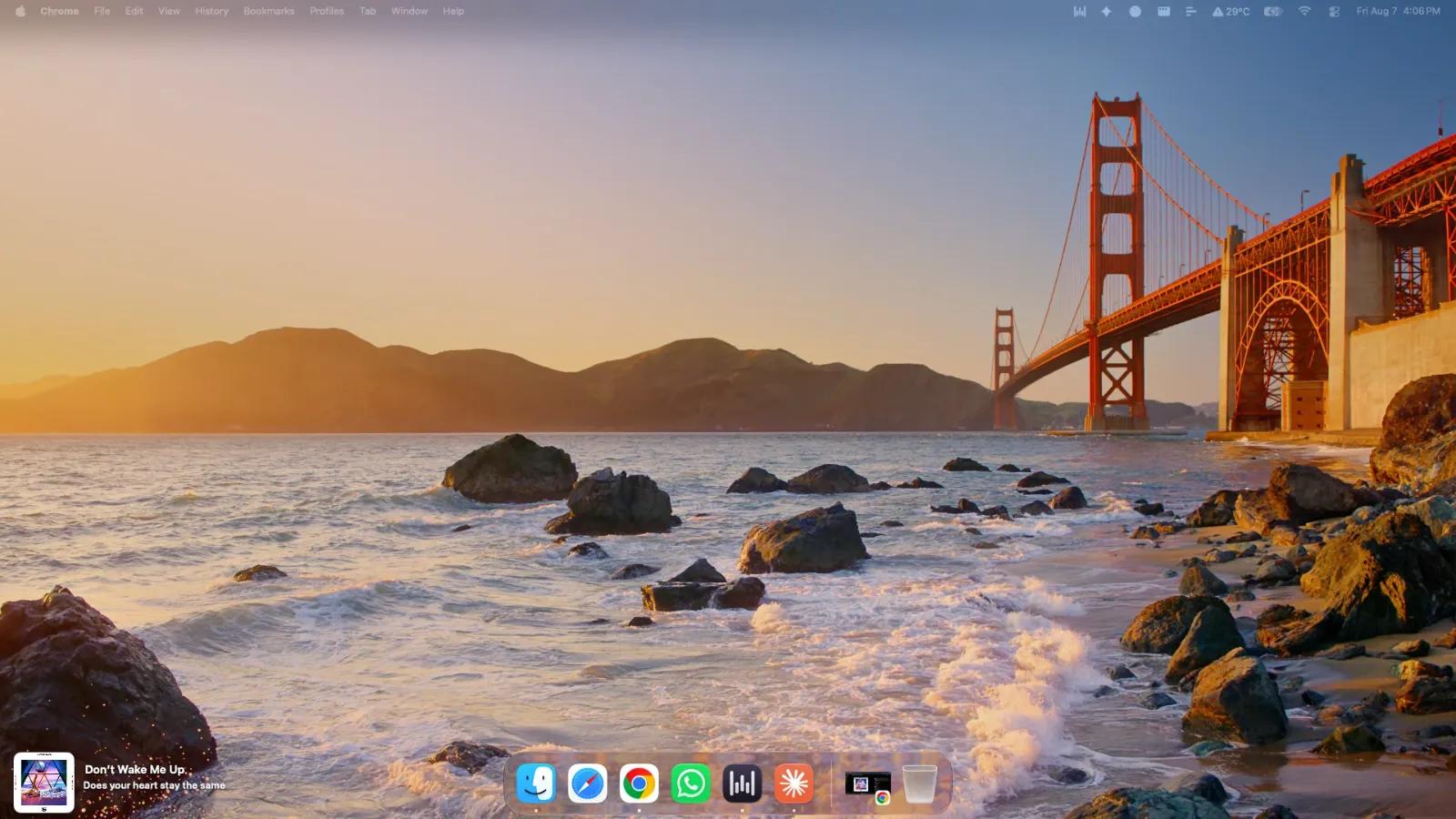
Now puts what you are listening to on your desktop and keeps it there.
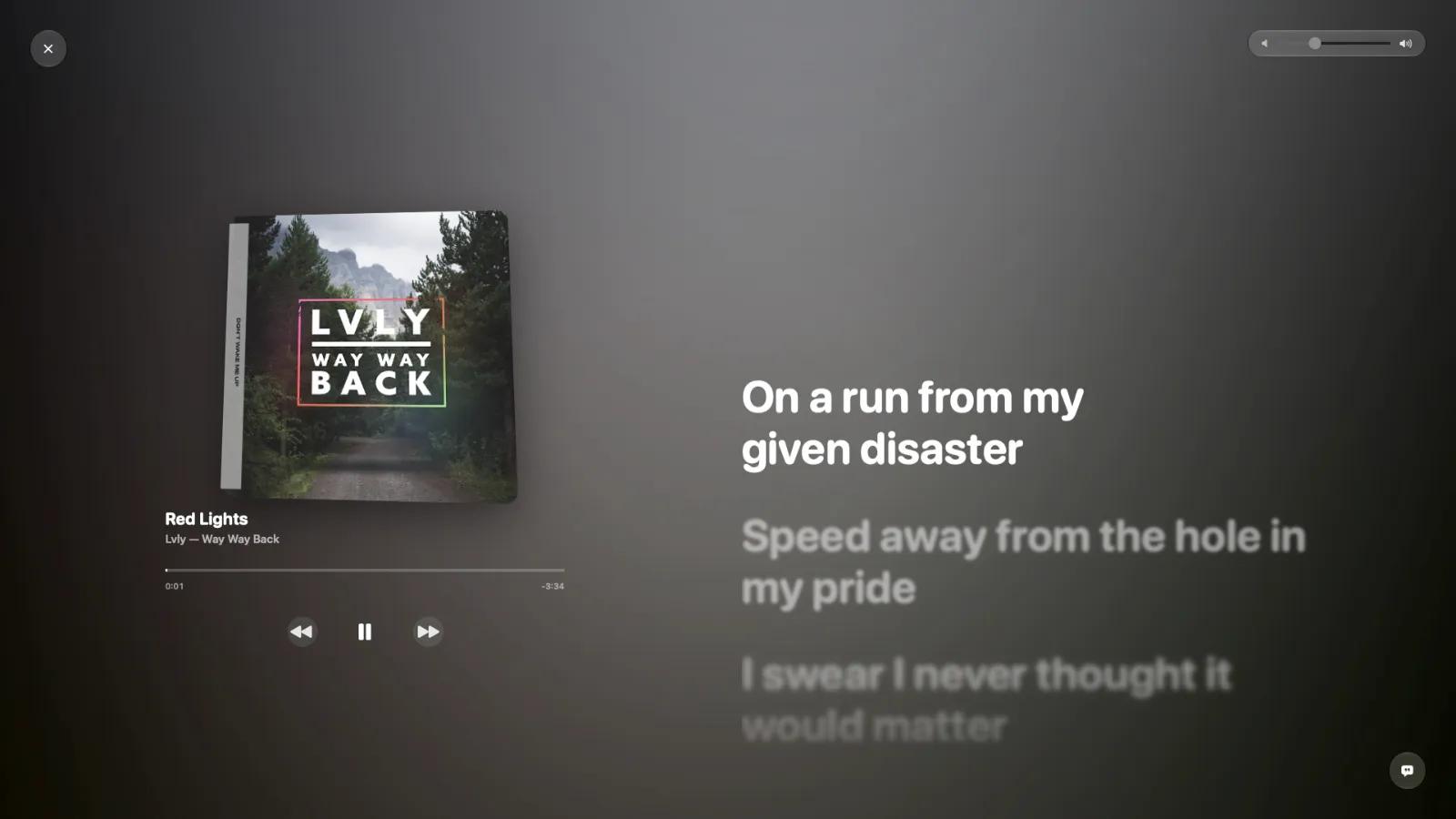
A small widget sits wherever you put it, showing the album art, the title, the artist, and how far through you are. Lyrics move with the music, line by line and word by word, so you can follow along without opening anything. Open the full-screen player and the cover fills the display against a background drawn from its own colours, leaning toward your pointer as you move it.
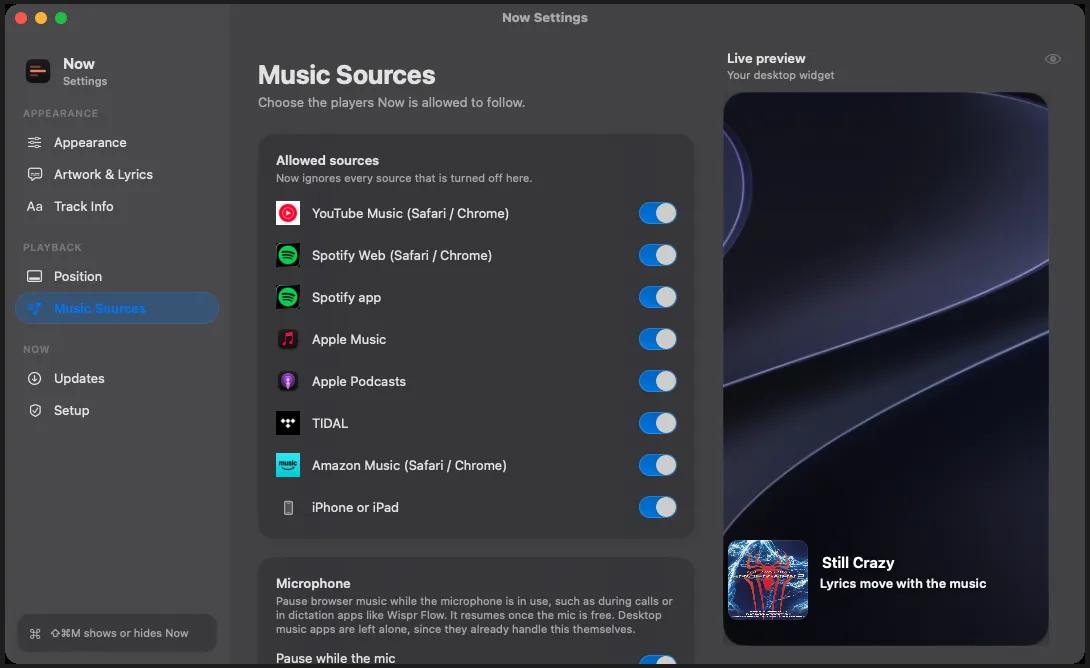
It follows whatever you already use. Apple Music, Spotify, TIDAL and Apple Podcasts as apps. YouTube Music, Spotify and Amazon Music in Safari or Chrome. Audio sent from an iPhone or iPad over AirPlay shows up the same way, cover art and progress included, whichever app it came from on the phone. Now switches between them on its own as you move from one to another, and films and TV are ignored, so a movie never turns up as a now playing.
The controls work everywhere the music does. Play, pause, skip, and scrub from the widget, the full-screen player or the menu bar. Drag across the cover to move through your music, and on Apple Music and YouTube Music the next cover slides in behind your finger before you let go. The back button restarts the current song first and steps back on a second press, the way it does everywhere else.
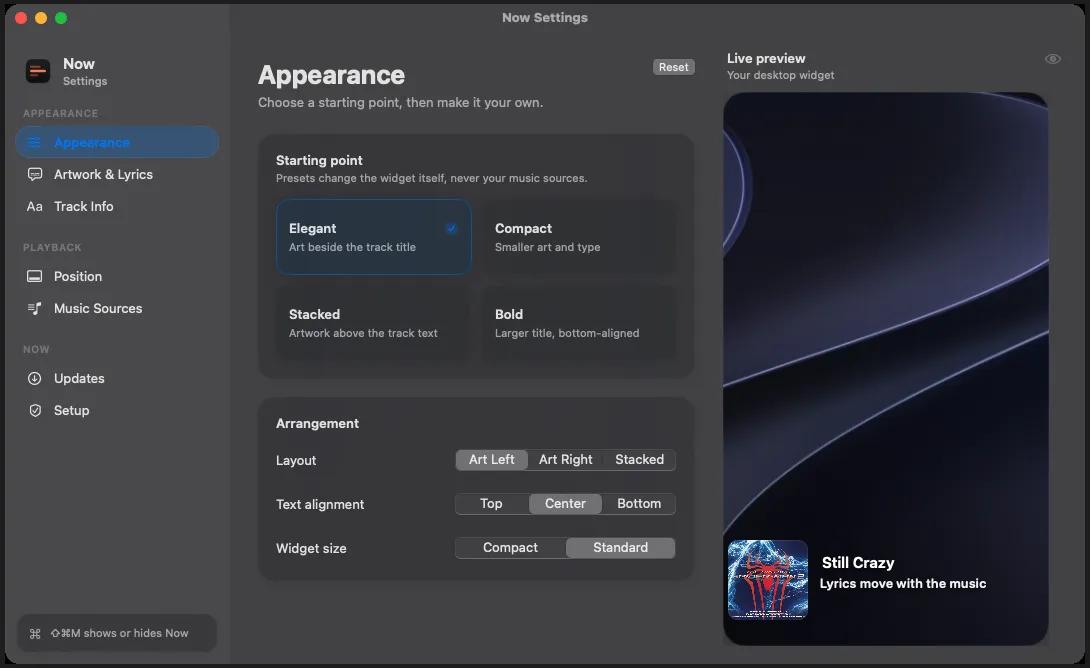
Four starting points, Elegant, Compact, Stacked, and Bold then move things around until it fits your desktop, with a live preview of every change as you make it. It can pause browser music while your microphone is in use, for calls or dictation, and resume once the mic is free. Desktop music apps are left alone, since they already handle that themselves.
Now is free, runs on Apple silicon, and needs macOS 14 or later. It asks for permission to talk to your music apps and nothing else. It never asks to record your screen or read your files, and nothing about what you play leaves your Mac. Updates are signed and install themselves, or you can turn that off.