UnixTime
Native macOS menu bar app for converting unix timestamps
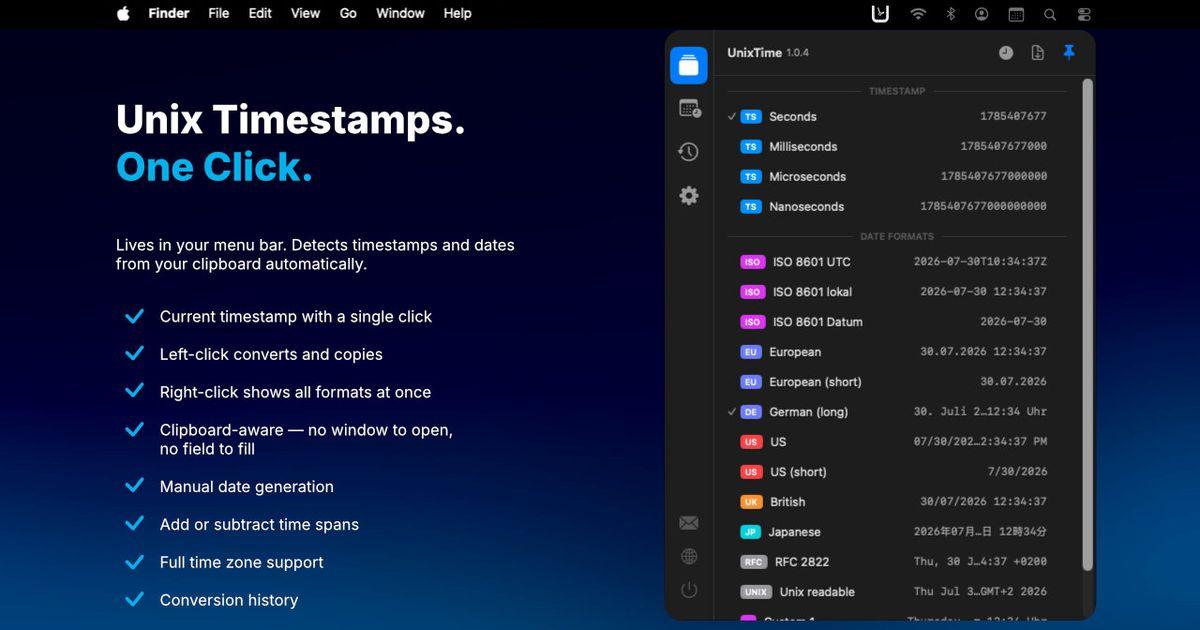
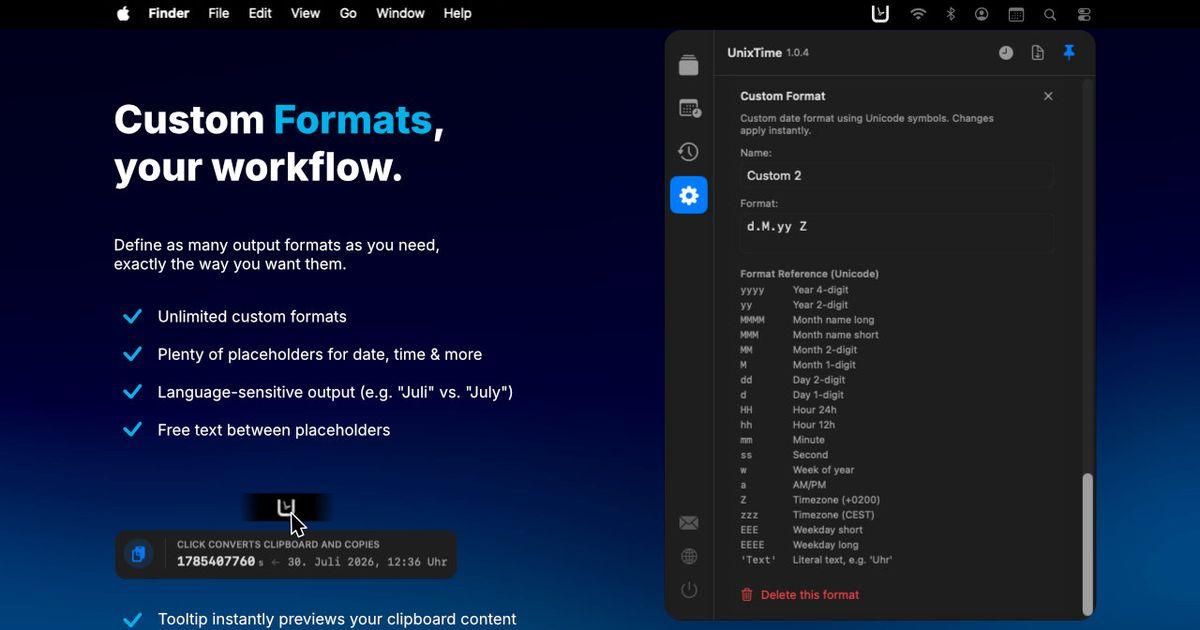
UnixTime lives in your menu bar and makes working with Unix timestamps effortless. Just hover over the menu bar icon and a tooltip instantly shows what is currently on your clipboard, its matching counterpart (the corresponding timestamp or date), and exactly what a click would copy — all before you click anything. A single click then copies the converted result to your clipboard, ready to paste wherever you need it. If your clipboard is empty, a click copies the current timestamp in your chosen format instead.
Conversion works in both directions and is detected automatically: copy a timestamp to get a date, or copy a date to get a timestamp. Beyond the classic Unix seconds and milliseconds, UnixTime also handles microseconds, nanoseconds, and a range of platform-specific epoch formats used by .NET, Windows, Chrome/WebKit, Apple, Mozilla, and classic Mac systems, as well as the astronomical Julian Day Number. Each timestamp is shown together with its unit (s, ms, ns, and so on) so there is never any doubt about what you are looking at.
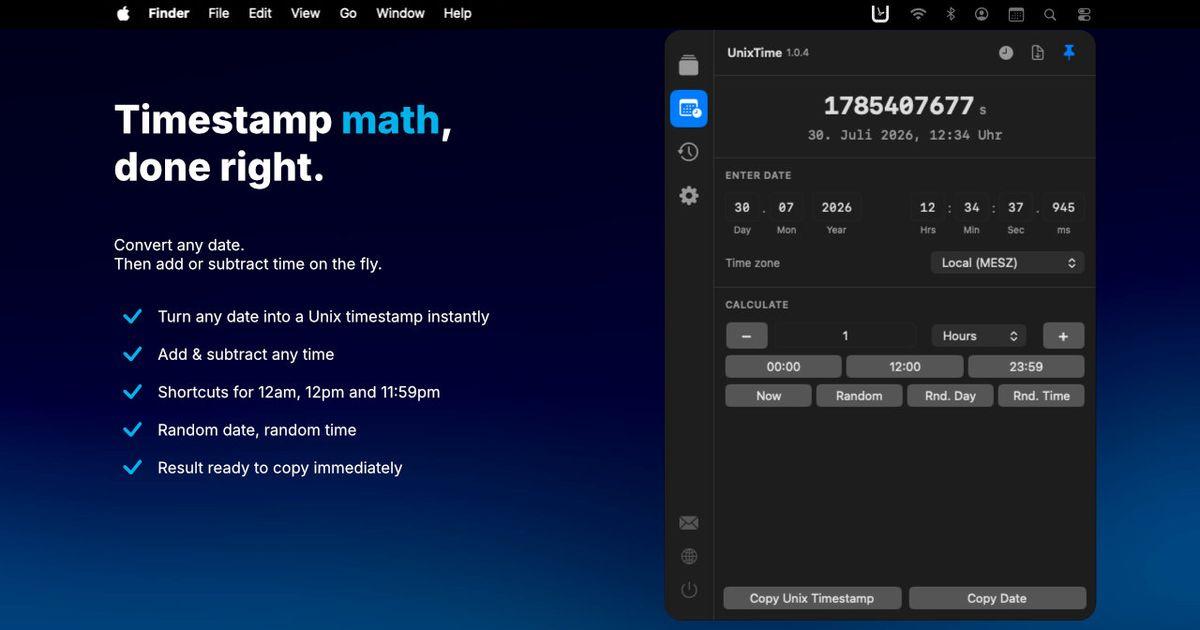
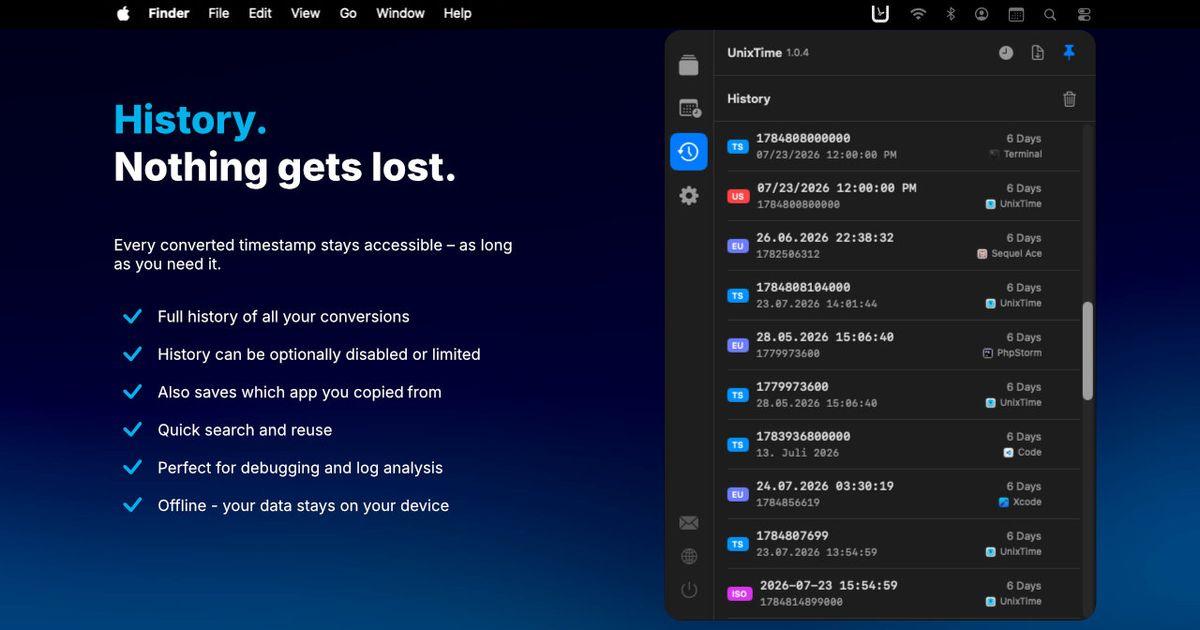
A built-in date and time calculator lets you build and adjust specific moments in time: enter a date, add or subtract seconds, minutes, hours, days, weeks, months or years, switch between time zones, and generate random dates or times for testing. Every conversion is saved to a history list — including which app you copied the value from — so you can copy any previous result again with a single click.
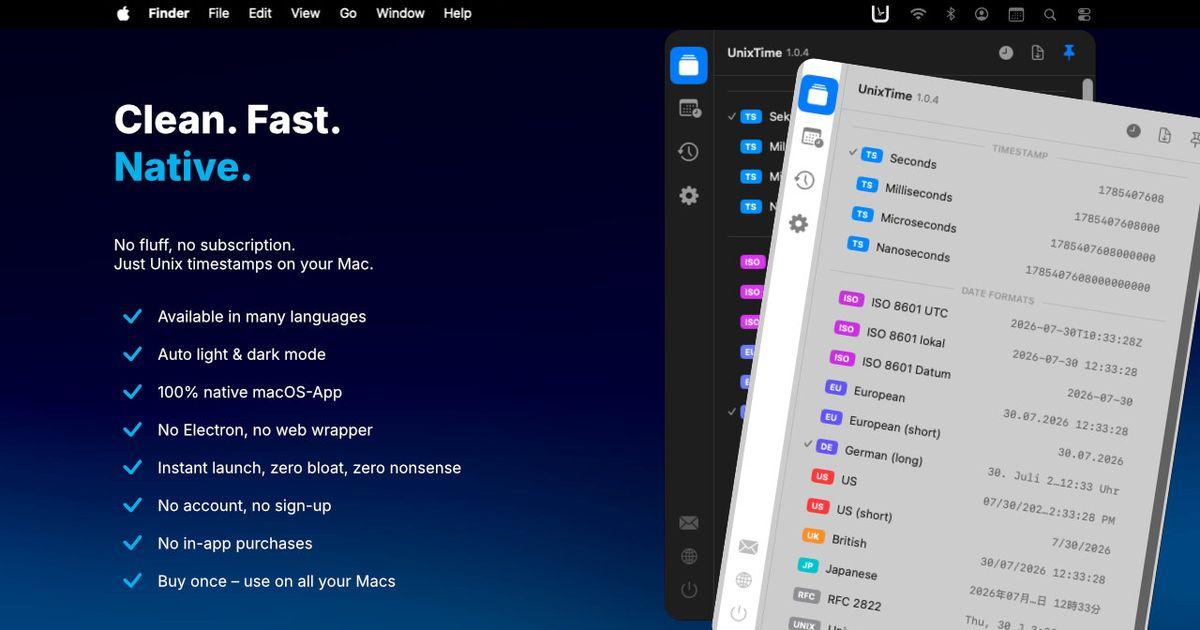
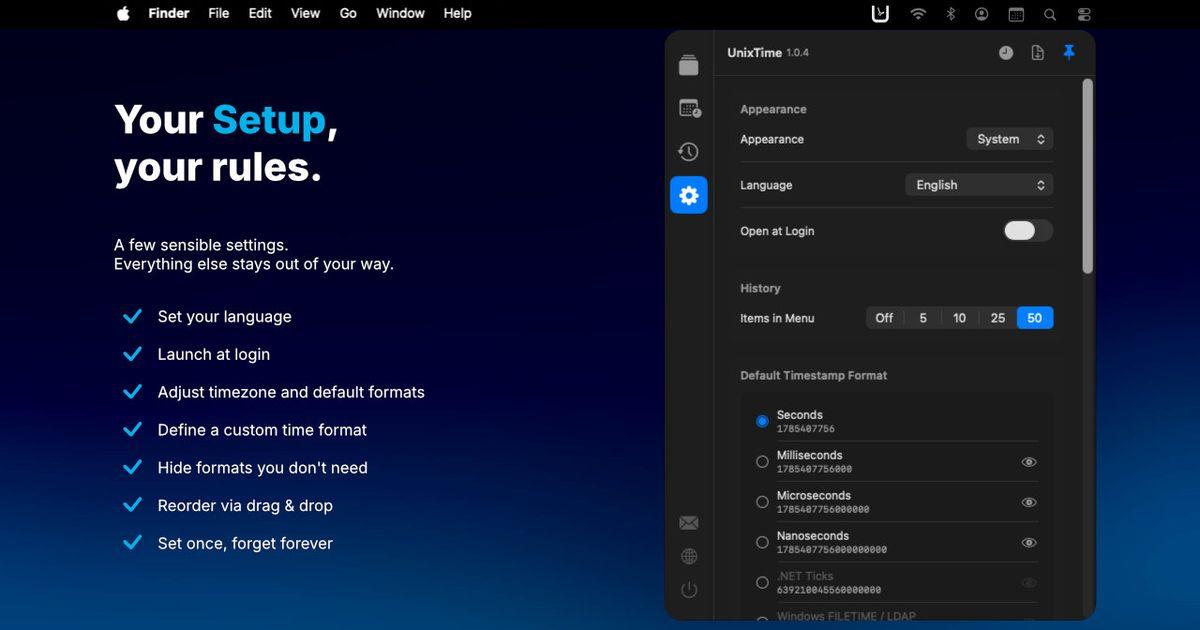
You stay in full control of the interface. Show, hide, and reorder any format, set your preferred timestamp or date format as the default, and create as many custom date formats as you like, each with its own name and pattern. The app is fully localized in 12 languages, supports light and dark mode, and can start automatically at login. It is built natively with SwiftUI, so it stays fast, responsive, and light on system resources.
## Features:
- Converts Unix timestamps to dates and dates to timestamps, auto-detected from the clipboard
- Live tooltip preview: see the current clipboard value, its counterpart, and what a click will copy — before you click
- One click copies the conversion result straight to your clipboard, ready to paste
- Copies the current timestamp in your chosen format when the clipboard is empty
- Timestamp units: seconds, milliseconds, microseconds, nanoseconds
- Platform-specific formats: .NET Ticks, Windows FILETIME / LDAP, Chrome/WebKit, Cocoa/NSDate, HFS+ (classic Mac), Mozilla PRTime, Julian Day Number
- Exact sub-second precision (microseconds and nanoseconds) for the current time
- Unit label (s, ms, ns, …) shown next to every timestamp
- Many built-in date formats, plus unlimited custom date formats with your own names
- Date and time calculator with time zones, add and subtract, time presets, and random date/time generation
- History of recent conversions, including the source app you copied from
- Show, hide, and reorder formats; set any format as your default
- Localized in 12 languages
- Light and dark mode
- Launch at login
- Native SwiftUI app with a small footprint and instant response
## Who it's for:
UnixTime is made for anyone who runs into Unix timestamps as part of their daily work — primarily developers, but just as much for DevOps engineers, system and database administrators, QA and test engineers, data engineers and analysts, security researchers, and technical support staff. If you regularly see raw epoch numbers in logs, APIs, databases, config files, or datasets and need to know what they actually mean, UnixTime is built for you.
## Typical use cases:
- Figuring out what a timestamp in a log line or stack trace really means
- Converting epoch values from an API request or response
- Debugging token and session expiry, such as JWT iat and exp claims
- Reading and writing database timestamps stored as Unix seconds or milliseconds
- Decoding platform-specific values like Windows FILETIME, .NET Ticks, or Chrome/WebKit and Cocoa timestamps found in logs and forensic data
- Grabbing the current timestamp in a specific format to paste into code, a test, a query, or a config file
- Building a precise date and time as test data, and shifting it across time zones
- Generating random dates or times to test time-dependent behavior
- Quickly checking a date against its timestamp (and back) without leaving the app you are working in