
Vocal Notes
Private, on-device transcription for Apple Silicon Macs.
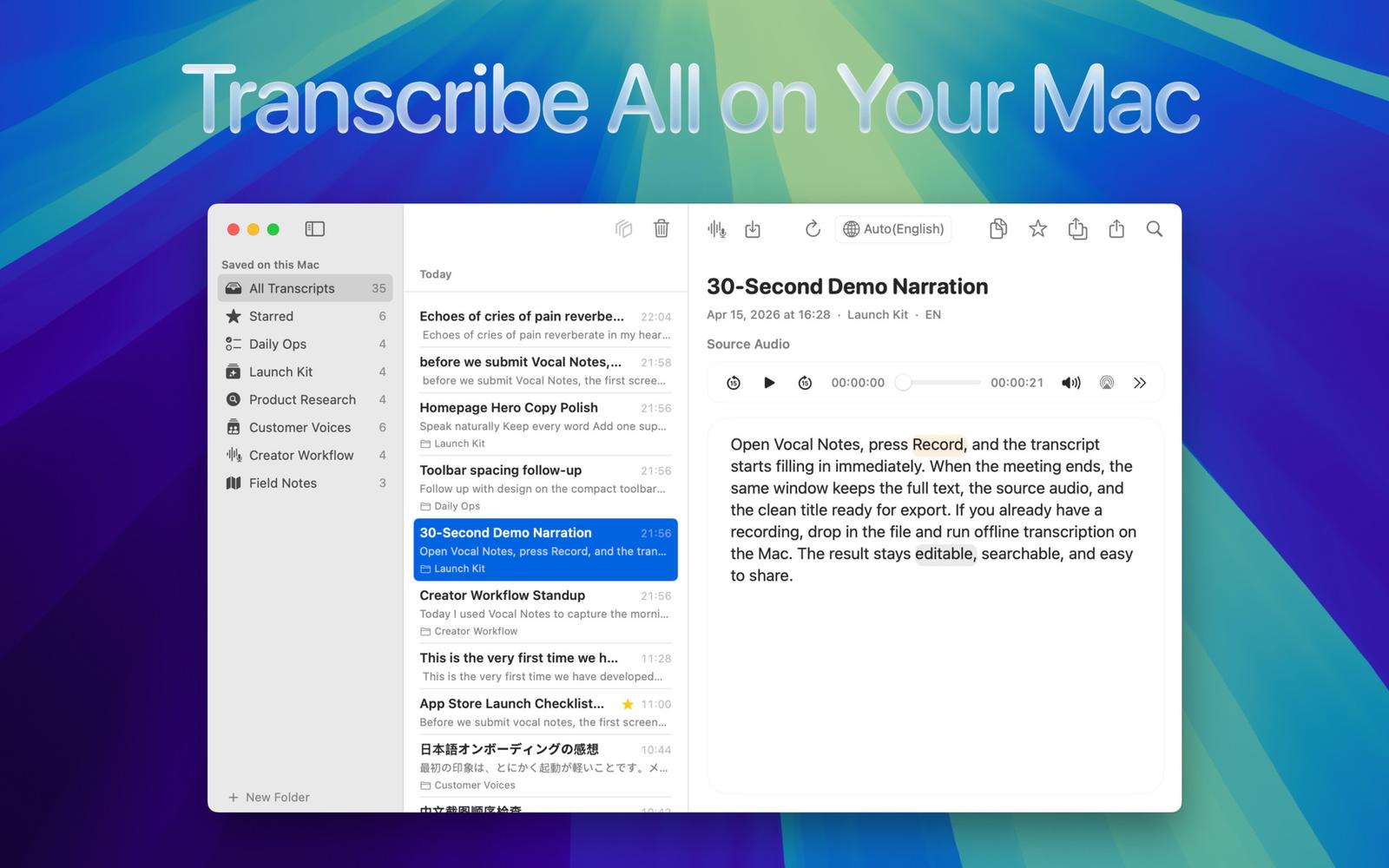
A Private Transcription Workspace That Feels at Home on the Mac
Uncompromising Privacy by Design
Most speech-to-text software requires uploading your files to the cloud. While convenient, this compromises the security of confidential meetings, interviews, lectures, and private voice notes. Vocal Notes takes a fundamentally different approach: all speech recognition happens locally on your Apple Silicon Mac.
Vocal Notes is a premium, native macOS transcription app designed for recording, transcribing, reviewing, and organizing your audio. Capture live speech directly or import existing media—including MP3, M4A, WAV, MP4, and MOV formats. Because transcription runs entirely offline, your source recordings and generated text never leave your machine. No accounts, no subscriptions, and absolute privacy guaranteed.
Advanced Transcription Features
- Synchronized Audio-Text Review: Text remains time-synced to the recording. Clicking any word jumps playback to that exact moment, allowing you to instantly verify quotes or correct names without switching between a media player and a document editor.
- Custom Vocabulary & Organization: Add colleague names, industry jargon, and acronyms for better accuracy. Manage projects with folders, merge sessions into coherent documents, and export polished work as clean Markdown.
- Global Quick Dictation: Trigger a lightweight dictation window anywhere in macOS with a customizable global hotkey, then paste the text into Mail, Notes, or your active app.
Engineered Natively for macOS
Vocal Notes uses native UI controls, familiar library management, and smooth playback patterns. Local models optimized for Apple Silicon deliver fast performance without cloud latency or transcription-minute limits.
Who Should Use Vocal Notes?
Vocal Notes is built for researchers, journalists, students, authors, podcasters, and professionals who need to convert speech into searchable, editable text while keeping sensitive material private.
Pricing and Availability
Vocal Notes requires macOS 14 Sonoma or later and an Apple Silicon Mac. It is available as a one-time US$49.90 purchase on Gumroad, including a personal license and automatic updates.
Learn more at TychoSpot.