Workflo. app icon

Workflo.

Your workspace, staged before the moment arrives.
Pricing

Paid

Category

Updated

Clicks

231
Workflo. — image 1

A Mac workday is a context switch every hour — a call, a focus block, docking at the desk, undocking to leave. Every switch costs the same manual minute: reopen, drag, resize, hide. The tools in this space make that minute faster — but they all wait to be asked.

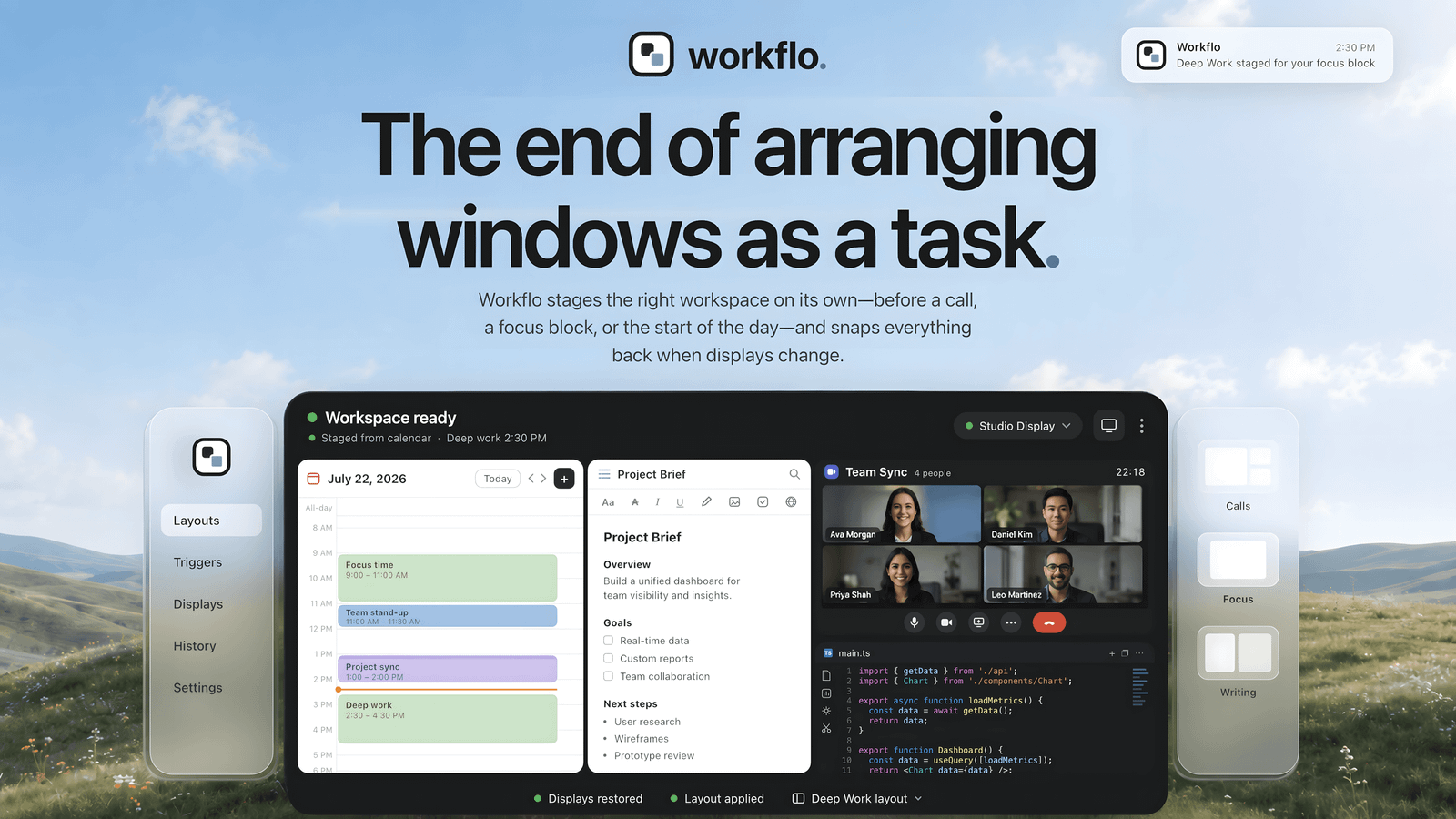
Workflo isn't a faster way to arrange windows; it's the end of arranging them as a task. It learns your layout for every display setup on its own, and stages Scenes from your calendar or the clock without being asked — the workspace is set before the moment arrives. And when your displays change, everything snaps back into place.

Scenes + Triggers — save a layout as a Scene, attach a Trigger, and it applies on its own: the call setup before the meeting starts, the writing layout at 9 a.m.

Desks — Workflo learns each display setup separately. Dock or undock; everything snaps back.

Stash — one hotkey clears the screen for a share, one brings it all back.

Scene Studio — design layouts without touching your live windows.

More in Productivity

Glance app icon

Glance

Native markdown editor for macOS

Shortap app icon

Shortap

Quick tap gestures for your MacBook

Cooldock app icon

Cooldock

Second Dock to your Mac with live widgets

Supaste app icon

Supaste

Clipboard and screenshot history

Droppy app icon

Droppy

Droppy turns your Mac notch into a powerful productivity hub for files, clipboard, and extensions.

Letterboxx app icon

Letterboxx

A dedicated reader for email newsletters.

Featured apps

Hejour app icon

Hejour

A calm macOS notebook where every day is a page

Glance app icon

Glance

Native markdown editor for macOS

Screen Movie app icon

Screen Movie

Screen Recording & Motion Editor for macOS

Shortap app icon

Shortap

Quick tap gestures for your MacBook

FrameOS app icon

FrameOS

Record polished iOS & Android app demos from your Mac.

Cooldock app icon

Cooldock

Second Dock to your Mac with live widgets

Supaste app icon

Supaste

Clipboard and screenshot history

DisplayBuddy app icon

DisplayBuddy

Control external displays without touching the buttons

Revone app icon

Revone

All your revenue. One place.

Droppy app icon

Droppy

Droppy turns your Mac notch into a powerful productivity hub for files, clipboard, and extensions.

Letterboxx app icon

Letterboxx

A dedicated reader for email newsletters.










