
Claude Notch Usage Companion
Your live Claude usage, right in your Mac's notch.
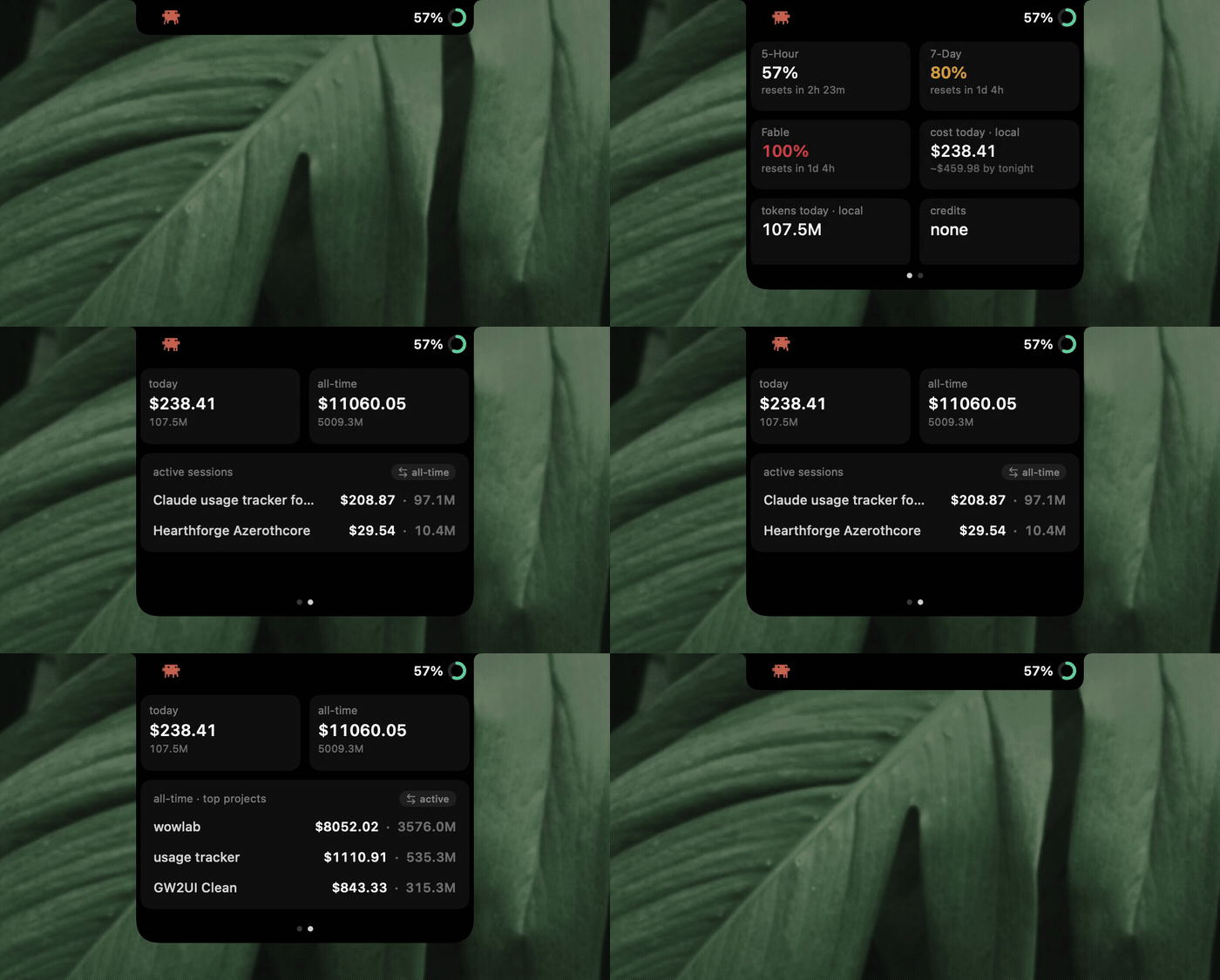
What it is
A tiny, native macOS app that turns the notch (or a Dynamic-Island-style pill on non-notch Macs) into a live readout of your Claude usage. Collapsed, it's just a small crab and your current session percentage next to the camera. Click it and it opens into a two-page card you swipe through.
Who it's for
Anyone who uses Claude heavily, especially Claude Code and Max-plan users, who wants to keep an eye on their limits and spend without alt-tabbing to a usage page mid-task.
What it does
- Shows your real limit bars: the 5-hour session, the 7-day weekly, and Fable's own separate weekly limit, each with a reset countdown, exactly matching what the Claude desktop app displays.
- A second page breaks down the local detail: cost and tokens today, an "at this pace you'll end around $X" projection, your active conversations listed by name, and a tap-to-flip view of your biggest-spending projects of all time.
- Works with whatever you're signed into: the Claude desktop app, a browser, or just the Claude Code CLI in the terminal. Everything stays on your machine, and it only talks to Anthropic with your own session.
- Free, open source (MIT), signed and notarized, and it updates itself.
Why I built it
I live in Claude Code and kept opening the usage page to check how close I was to hitting my 5-hour window before starting something big. It got old fast, so I built something that just sits in the notch where I can glance at it. It grew from there into the full breakdown it is now.